The SABRENT Dual-Bay USB-C Hard Drive Docking Station & Cloner review centers on a useful combination: two-drive access for everyday transfers and offline cloning when a computer is not part of the process.
Its appeal is strongest for people working with standard 2.5- or 3.5-inch SATA drives who value a straightforward, tool-free dock.
SABRENT EC-CH2B Review Summary
The quick verdict

1,000+ ratings
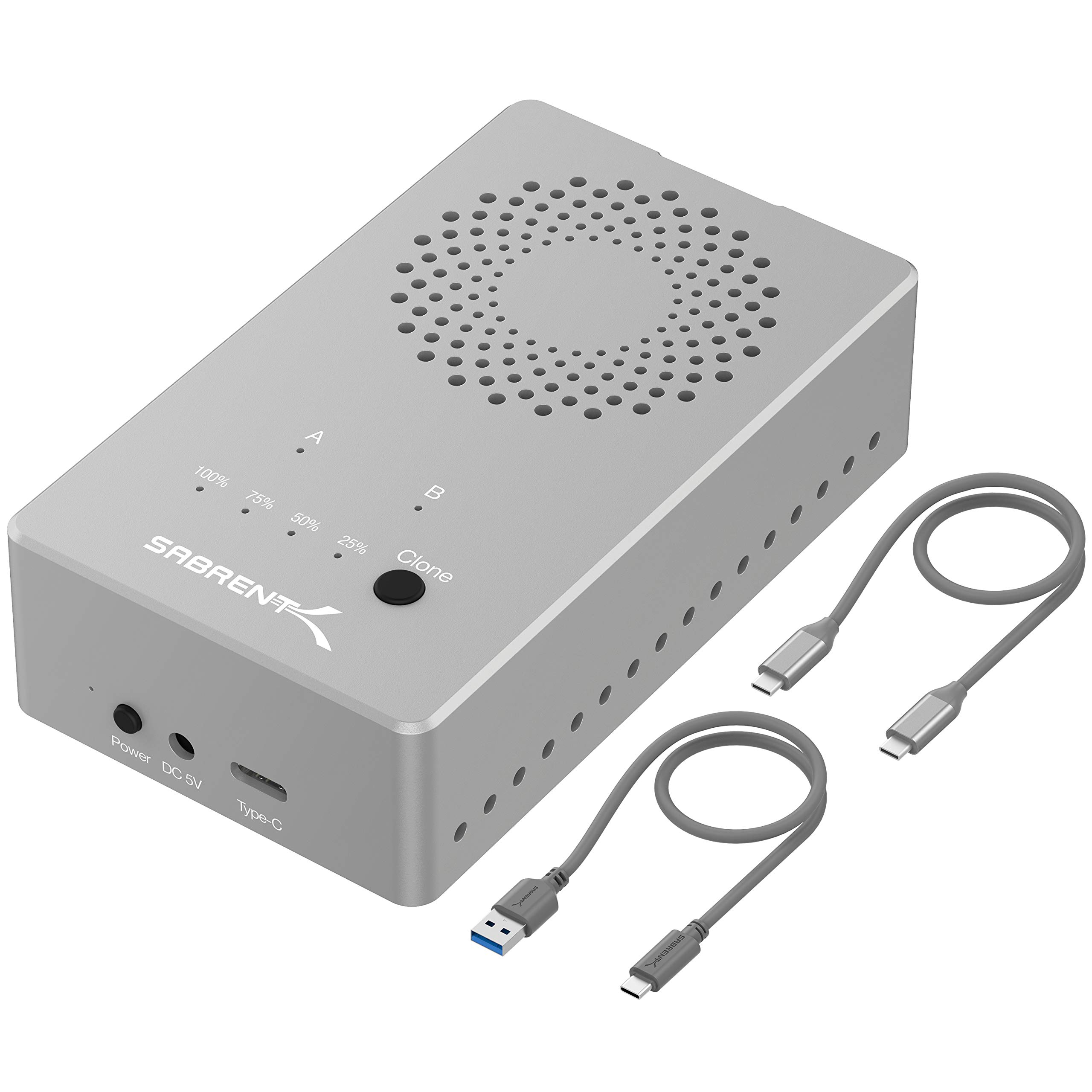
Read Amazon ReviewsSABRENT EC-CH2B Dual-Bay USB-C Docking Station
A practical fit for anyone who wants to access two 2.5- or 3.5-inch SATA drives and clone drives offline without a computer.
- Dual-bay design reads and writes two hard drives simultaneously.
- Offline cloning copies drives without a computer, at speeds up to 60MBps.
- USB 3.0 connection supports data transfer speeds up to 5Gbps.
- Compatible with 2.5- and 3.5-inch SATA hard drives.

Pros
- Combines everyday two-drive access with offline cloning in one dock.
- Supports both 2.5- and 3.5-inch SATA hard drives, including capacities up to 20TB or more.
Consider before buying
- The dock is designed for SATA hard drives, so buyers should confirm that their drives use the supported 2.5- or 3.5-inch SATA format.
- Offline cloning is rated up to 60MBps, so buyers with large drives should account for the time a full copy may take.
Read the full review summary
The EC-CH2B is designed to read and write two hard drives at the same time, while its offline cloning function can copy one drive to another without connecting the dock to a computer.
Tool-free drive insertion and hot swapping make it suited to recurring access, backups, and drive changes, while an activity LED provides a quick visual cue during use.
Its USB 3.0 connection supports transfer speeds of up to 5Gbps, and the dock supports drives up to 20TB or more. Those are interface and capacity ceilings rather than guarantees of a particular real-world transfer rate.
This is a sensible choice for SATA drive work; buyers with M.2 SSDs or a need to manage more than two drives should look for a different form factor or bay count.
The buying factors
SABRENT EC-CH2B Scorecard
Editorial scores reflect listed features and buyer fit; they are not laboratory measurements or customer ratings.
Drive compatibility
Supports the common 2.5- and 3.5-inch SATA hard drive formats, with a stated capacity range up to 20TB or more.
Two-drive workflow
Read and write access to two drives simultaneously is useful for copying or comparing files across drives.
Offline cloning
Drive-to-drive cloning can run without a computer, with support up to 60MBps.
Connection speed potential
USB 3.0 supports up to 5Gbps, although actual transfer rates depend on the drives and setup.
Setup convenience
Tool-free installation and hot swapping suit frequent drive changes.
Status visibility
An HDD access LED offers a simple activity indicator, though the feature description gives no further status detail.
Key Features and Specifications of SABRENT EC-CH2B
- Dual-bay design reads and writes two hard drives simultaneously.
- Offline cloning copies drives without a computer, at speeds up to 60MBps.
- USB 3.0 connection supports data transfer speeds up to 5Gbps.
- Compatible with 2.5- and 3.5-inch SATA hard drives.
- Supports drives up to 20TB or more.
- Tool-free installation, hot swapping, and an HDD access LED support a simple drive-access routine.
- Works with Windows and Mac OS.
Pros and Cons of SABRENT EC-CH2B
Pros
- Combines everyday two-drive access with offline cloning in one dock.
- Supports both 2.5- and 3.5-inch SATA hard drives, including capacities up to 20TB or more.
- Tool-free setup and hot swapping reduce friction when changing drives.
- Windows and Mac OS support broadens its usefulness across common desktop setups.
Consider before buying
- The dock is designed for SATA hard drives, so buyers should confirm that their drives use the supported 2.5- or 3.5-inch SATA format.
- Offline cloning is rated up to 60MBps, so buyers with large drives should account for the time a full copy may take.
- It has two bays; users who need to keep more drives connected at once will need a higher-bay setup.
Who Should Buy SABRENT EC-CH2B?
Good fit
Consider the EC-CH2B if you regularly connect 2.5- or 3.5-inch SATA drives to a Windows or Mac computer and want a single dock for both file access and cloning.
Simultaneous read and write access can make transfers between two drives more convenient than repeatedly swapping one drive in and out.
The offline clone mode is especially useful when you want a direct drive-to-drive copy without a computer in the workflow.
Check that the source and destination drives match the dock’s supported SATA formats, and allow for the stated maximum cloning speed when planning a large copy.
Who should skip it
Skip this model if your drives are M.2 or another format rather than 2.5- or 3.5-inch SATA. Check the drive label or manufacturer details before ordering if you are unsure.
Choose another setup if you need more than two drives connected at once or if your workflow depends on a faster cloning rate than up to 60MBps.
How the SABRENT EC-CH2B Fits a SATA Drive Workflow
Two bays for active drive work
The two-bay layout is the core convenience here. It allows the dock to read and write both drives at once, which can simplify moving files between disks or accessing one drive while another is connected.
For a desktop workflow involving regular SATA drive changes, that can make the dock useful beyond occasional cloning.
Offline cloning without a computer
The cloning function is intended for direct drive-to-drive copying without a computer. That gives the EC-CH2B a practical role in backup or drive replacement routines, provided the drives fit the supported SATA formats.
The stated maximum of 60MBps is a useful planning figure; the actual time for a clone will vary with drive capacity and conditions.
USB bandwidth and capacity headroom
USB 3.0 has a maximum transfer speed of 5Gbps, and the supported drive capacity extends to 20TB or more. These figures provide useful compatibility and interface context, but they should not be read as promised file-transfer speeds.
Drive performance, connection setup, and the type of work all affect what users experience.
A simple, focused compatibility profile
Tool-free installation, hot swapping, an access LED, and Windows and Mac OS compatibility keep the stated setup uncomplicated. The tradeoff is that the design is focused on two 2.5- or 3.5-inch SATA drives.
Before buying, confirm both the drive interface and the number of bays your routine calls for.
Alternatives to SABRENT EC-CH2B
Hard Drive Docking Stations alternative

17,000+ ratings
Read Amazon ReviewsSABRENT DS-U3B4 4-Bay USB 3.0 Docking Station
Choose the EC-CH2B when a two-drive, USB-C dock suits your routine. Consider the DS-U3B4 if keeping as many as four SATA drives installed matters more than the smaller bay count.
- The DS-U3B4 supports up to four 2.5- or 3.5-inch SATA HDDs or SSDs, connects over USB 3.0 at up to 5Gbps, and includes offline cloning with LED progress indicators.
- The EC-CH2B supports two 2.5- or 3.5-inch SATA drives and includes offline cloning without a computer.
Hard Drive Docking Stations alternative
17,000+ ratings
Read Amazon ReviewsSABRENT EC-SSD2 Dual-Bay NVMe M.2 SSD Cloner
Choose the EC-CH2B for standard SATA hard drives. The EC-SSD2 is the relevant option when your workflow uses compatible PCIe NVMe M.2 SSDs and you want a faster stated USB interface.
- The EC-SSD2 is a dual-bay dock for PCIe NVMe M.2 SSDs in 2230, 2242, 2260, or 2280 sizes.
- It supports USB 3.2 transfer speeds up to 10Gbps and offline cloning; it is not compatible with regular M.2 SATA or AHCI SSDs.
- The EC-CH2B is for 2.5- and 3.5-inch SATA hard drives, with USB 3.0 transfer support up to 5Gbps.
Is SABRENT EC-CH2B Worth It?
The SABRENT EC-CH2B is worth considering if you need an uncomplicated way to access two 2.5- or 3.5-inch SATA drives and want offline cloning in the same device.
Its tool-free use, hot swapping, and Windows and Mac OS compatibility fit a practical desktop drive workflow.
Buy it if those supported drive formats and two bays match your needs, keeping in mind that cloning is rated up to 60MBps and USB 3.0 transfer speeds are maximums.
If your drives use another interface or you need more simultaneous bays, select a dock built for that setup.
Your review at a glance
1,000+ ratings
Read Amazon ReviewsSABRENT EC-CH2B Dual-Bay USB-C Docking Station
A practical fit for anyone who wants to access two 2.5- or 3.5-inch SATA drives and clone drives offline without a computer.
- Dual-bay design reads and writes two hard drives simultaneously.
- Offline cloning copies drives without a computer, at speeds up to 60MBps.
- USB 3.0 connection supports data transfer speeds up to 5Gbps.
- Compatible with 2.5- and 3.5-inch SATA hard drives.