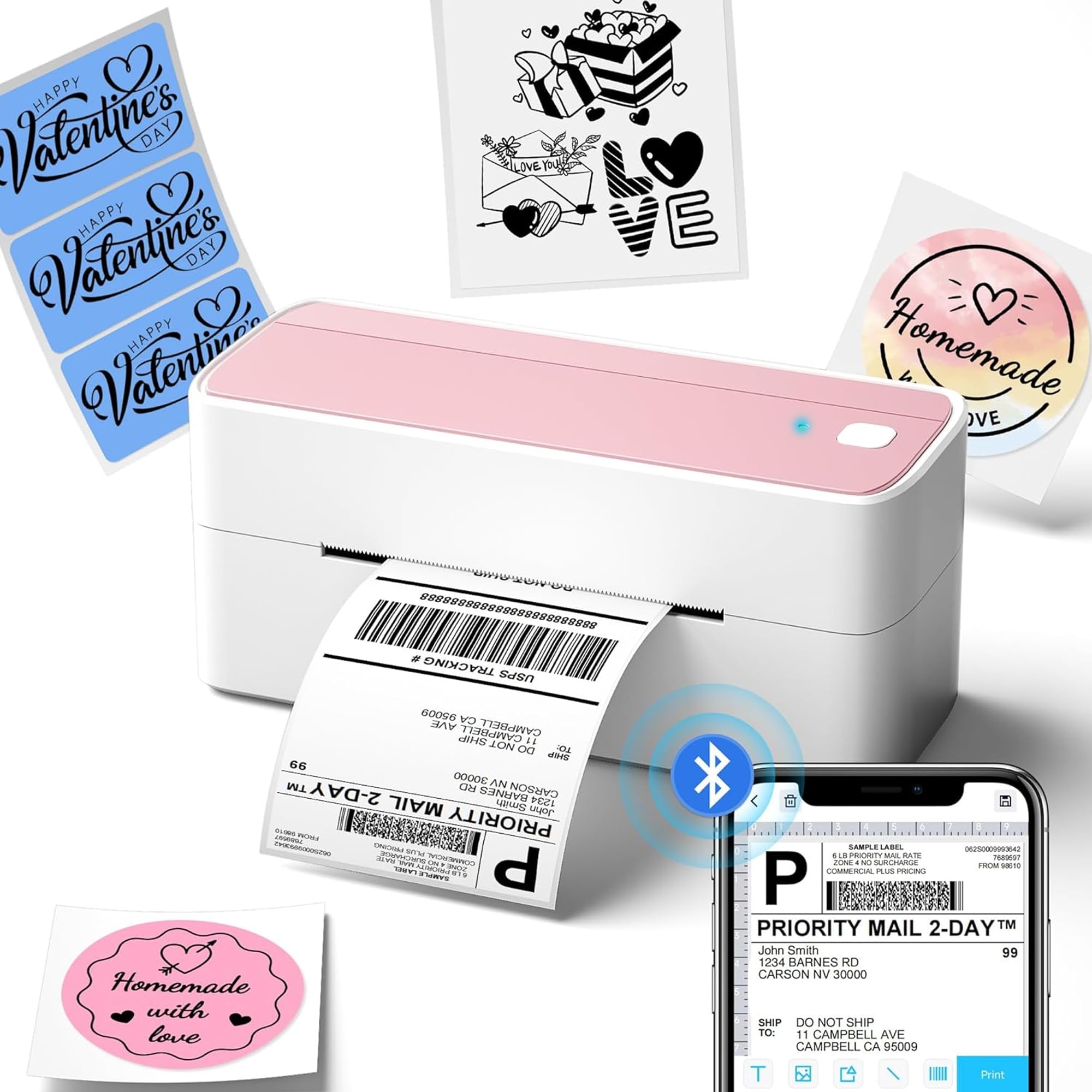
The Phomemo 241BT review centers on a wireless thermal label printer for small businesses and home sellers who want to print shipping labels from phones or computers.
Phomemo 241BT Review Summary
The quick verdict
4,000+ ratings
Read Amazon ReviewsPhomemo 241BT
A flexible thermal printer for small businesses and home sellers who need wireless label printing across phone and computer workflows.
- Supports label widths from 1 to 4.6 inches for multiple label formats.
- Prints wirelessly through Bluetooth from iOS and Android devices using the Labelife app.
- Offers USB and Bluetooth computer printing for PC or Mac, with USB support also listed for Windows, Chrome OS, and Linux systems.
- Prints text, barcodes, QR codes, forms, and template-based labels.

Pros
- Bluetooth printing from iOS and Android with the Labelife app.
- USB and Bluetooth routes for computer printing give buyers connection flexibility.
Consider before buying
- Output is monochrome, so buyers who need color labels must supply compatible thermal color label paper separately.
- Phone and tablet printing depends on installing the Labelife app, while computer printing may require a driver or Chrome extension setup.
Read the full review summary
The Phomemo 241BT is a practical fit for sellers who want one compact printer for shipping labels and other small-format output.
It connects with iOS and Android through the Labelife app, while computer users can print through Bluetooth or USB, depending on setup.
Its support for label widths from 1 to 4.6 inches can suit shipping workflows as well as barcode, QR code, and form printing.
Buyers should be comfortable with monochrome thermal output and app or driver setup as part of the initial workflow.
The buying factors
Phomemo 241BT Scorecard
Editorial scores reflect listed features and buyer fit; they are not laboratory measurements or customer ratings.
Phone printing
The Labelife app provides a Bluetooth printing route for iOS and Android devices, which suits sellers who prepare labels on a phone or tablet.
Computer connectivity
Computer users have USB and Bluetooth options, with operating system specific setup steps to consider.
Label-width flexibility
Support for widths from 1 to 4.6 inches gives buyers room to handle several label formats.
Shipping-platform fit
The printer is positioned for common online selling and carrier platforms, including Amazon, Shopify, USPS, and FedEx.
Output versatility
It can produce text, barcodes, QR codes, and forms, but output is limited to black and white.
Thermal printing workflow
Direct thermal printing removes the need for toner or ink purchases, while requiring thermal labels as the printing medium.
Print speed
The printer is specified at 150 mm/s, with output up to 72 sheets of 4x6 labels per minute; buyers should treat these as maximum workflow figures rather than a guarantee for every job.
Key Features and Specifications of Phomemo 241BT
- Supports label widths from 1 to 4.6 inches for multiple label formats.
- Prints wirelessly through Bluetooth from iOS and Android devices using the Labelife app.
- Offers USB and Bluetooth computer printing for PC or Mac, with USB support also listed for Windows, Chrome OS, and Linux systems.
- Prints text, barcodes, QR codes, forms, and template-based labels.
- Uses direct thermal printing, so no toner or ink is needed.
- Prints in black and white only; compatible thermal color label paper is sold separately for color labels.
- Print speed is 150 mm/s, with up to 72 sheets of 4x6 labels per minute.
Pros and Cons of Phomemo 241BT
Pros
- Bluetooth printing from iOS and Android with the Labelife app.
- USB and Bluetooth routes for computer printing give buyers connection flexibility.
- A broad supported label-width range can serve shipping and smaller label tasks.
- Direct thermal operation avoids the need for ink or toner.
Consider before buying
- Output is monochrome, so buyers who need color labels must supply compatible thermal color label paper separately.
- Phone and tablet printing depends on installing the Labelife app, while computer printing may require a driver or Chrome extension setup.
- For consistent print results, buyers should plan on compatible thermal labels, with genuine Phomemo paper recommended for optimal performance.
Who Should Buy Phomemo 241BT?
Good fit
Choose the Phomemo 241BT if you sell online and want a dedicated thermal printer that can handle shipping labels along with barcodes, QR codes, forms, and templates.
Its stated platform compatibility covers major marketplaces and carriers, making it a useful match for routine fulfillment tasks.
It also makes sense when your labels are prepared on a phone or tablet and you want Bluetooth printing through an app.
Computer users can use USB, and PC or Mac workflows can also connect by Bluetooth after driver setup.
Who should skip it
Skip this printer if your workflow requires full-color printing from the device itself. It prints in black and white, and color labels require compatible thermal color label paper purchased separately.
It is also a poor fit if you do not want to install an app, driver, or operating-system extension as part of printer setup. Phone printing uses Labelife, and some computer workflows require software configuration.
Phomemo 241BT Review: Fit for Shipping Workflows
Phone and computer connectivity
The 241BT supports different setup paths depending on where labels are prepared. Mobile users print through Bluetooth and the Labelife app, while computer users can connect by USB or use Bluetooth after installing a driver.
This flexibility helps mixed-device workspaces, but setup is part of the buying decision.
Label range and output
The supported width range accommodates shipping labels as well as narrower formats, and the listed output types include text, barcodes, QR codes, and forms. The monochrome limitation matters for branded packaging or workflows where color coding is essential.
Thermal supplies and upkeep
Direct thermal printing avoids the recurring need for toner or ink, but thermal labels remain the required supply.
The recommendation to pair the printer with genuine Phomemo thermal paper is relevant for buyers prioritizing consistent output over sourcing the least expensive compatible stock.
Speed expectations
The stated speed is 150 mm/s, with a maximum of 72 sheets of 4x6 labels per minute.
Those figures may appeal to active shipping desks, but real throughput will depend on the job and setup; treat them as upper-end specifications rather than a promise for every label batch.
Alternatives to Phomemo 241BT
Desktop Label Printers alternative
5,000+ ratings
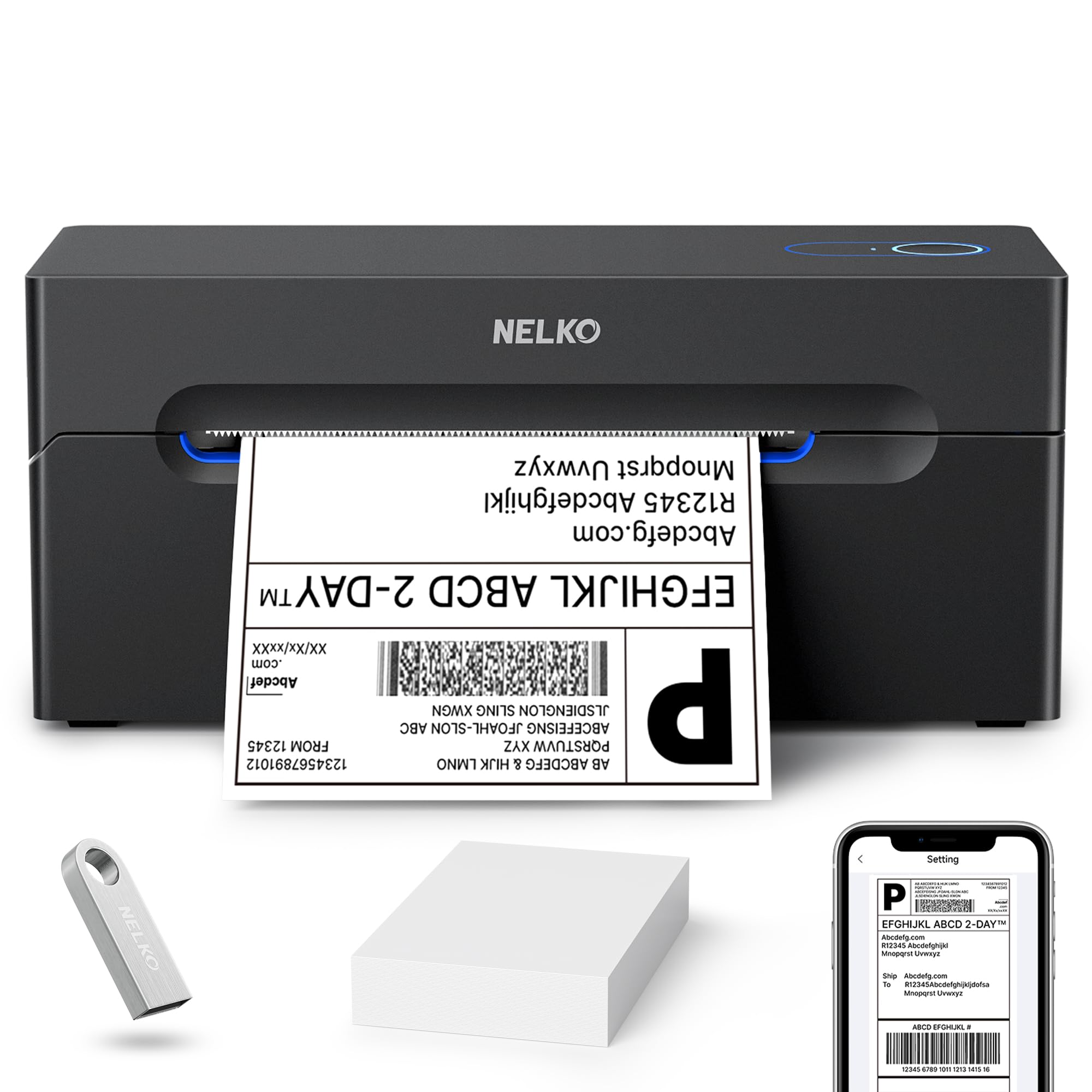
Read Amazon ReviewsNelko Bluetooth Thermal Shipping Label Printer
Prefer the Phomemo if you need its wider supported label range or want Bluetooth available for PC or Mac printing.
Consider the Nelko if its 1.54-to-4.1-inch range suits your stock and your Windows workflow benefits from Bluetooth; Mac users should plan on USB.
- The Nelko supports labels from 1.54 to 4.1 inches, Windows Bluetooth printing, and USB computer printing; Mac OS printing is USB-only.
- The Phomemo supports widths from 1 to 4.6 inches and offers PC printing by USB or Bluetooth after driver setup.
Is Phomemo 241BT Worth It?
The Phomemo 241BT is worth considering for small businesses and home sellers who want a wireless thermal printer for shipping workflows, phone printing, and varied label widths.
Direct thermal operation keeps ink and toner out of the supply routine, and the platform support covers common marketplaces and carriers.
Buy it if monochrome printing and an app or driver setup fit your workflow.
Pass if you need built-in color output or prefer a printer that requires no software configuration; those are central limitations for deciding whether this model suits your label routine.
Your review at a glance
4,000+ ratings
Read Amazon ReviewsPhomemo 241BT
A flexible thermal printer for small businesses and home sellers who need wireless label printing across phone and computer workflows.
- Supports label widths from 1 to 4.6 inches for multiple label formats.
- Prints wirelessly through Bluetooth from iOS and Android devices using the Labelife app.
- Offers USB and Bluetooth computer printing for PC or Mac, with USB support also listed for Windows, Chrome OS, and Linux systems.
- Prints text, barcodes, QR codes, forms, and template-based labels.