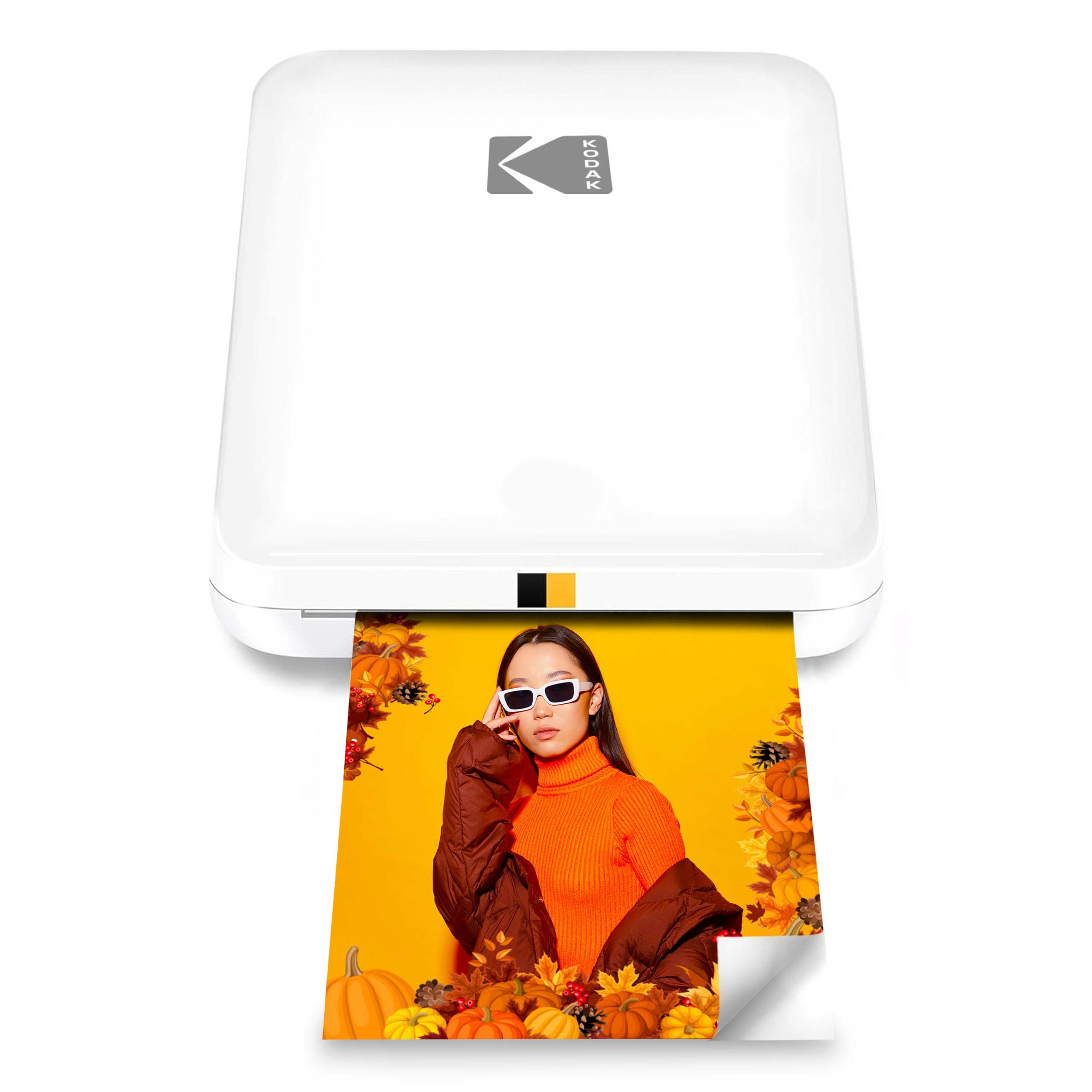
The KODAK Step Slim turns phone photos into small, peel-and-stick prints through a wireless connection and a companion editing app.
This kodak step slim printer review looks at its portable format, Zink paper, and the tradeoffs of choosing prints sized for keepsakes and crafts.
KODAK Step Slim Review Summary
The quick verdict
500+ ratings
Read Amazon ReviewsKODAK Step Slim
A fit for phone photographers, scrapbookers, and travelers who want quick, compact 2 × 3-inch adhesive-backed prints.
- Prints full-color photos on 2 × 3-inch Zink paper.
- Connects wirelessly to compatible iOS and Android devices through the KODAK STEP Prints app.
- The app supports photo personalization with frames, stickers, and other editing tools.
- Zink printing uses paper with embedded color rather than separate ink or toner.

Pros
- Small, portable design is convenient for travel and events.
- Ink-free Zink printing avoids separate ink and toner supplies.
Consider before buying
- The 2 × 3-inch print size is suited to small keepsakes rather than larger photo displays.
- Printing depends on compatible Zink paper, so buyers should consider ongoing paper needs.
Read the full review summary
The Step Slim is built around convenience: its slim, lightweight design is intended for travel, and it prints 2 × 3-inch color photos on Zink paper without ink or toner.
Pair it with a compatible iOS or Android device, edit in the KODAK STEP Prints app, then use the adhesive backing for scrapbooks, lockers, laptops, or other display surfaces.
That combination suits people who want a physical copy of a phone photo quickly, especially for journaling, parties, and casual sharing.
The format is deliberately small, so it makes more sense for stickers and compact keepsakes than for buyers who need larger prints or a general-purpose printer.
The buying factors
KODAK Step Slim Scorecard
Editorial scores reflect listed features and buyer fit; they are not laboratory measurements or customer ratings.
Portability
The slim, lightweight, pocket-sized design is intended to travel easily.
Print convenience
Wireless phone printing and a compact setup support spontaneous use; prints are described as taking under a minute.
Creative editing
The companion app offers frames, stickers, and other editing options before printing.
Consumable simplicity
Zink paper eliminates separate ink or toner, though buyers still need compatible photo paper.
Print size versatility
The 2 × 3-inch format works for small keepsakes and stickers but limits the size of each print.
Display flexibility
Adhesive-backed prints can be placed on surfaces such as scrapbook pages, lockers, and laptops.
Key Features and Specifications of KODAK Step Slim
- Prints full-color photos on 2 × 3-inch Zink paper.
- Connects wirelessly to compatible iOS and Android devices through the KODAK STEP Prints app.
- The app supports photo personalization with frames, stickers, and other editing tools.
- Zink printing uses paper with embedded color rather than separate ink or toner.
- Photos have a peel-off sticky backing for craft and display use.
- A slim, lightweight design is intended for pocket-friendly carrying and travel.
- Prints are described as being ready in under a minute.
Pros and Cons of KODAK Step Slim
Pros
- Small, portable design is convenient for travel and events.
- Ink-free Zink printing avoids separate ink and toner supplies.
- Adhesive-backed prints are useful for scrapbooks, journals, and casual decorating.
- Editing tools make it easy to personalize images before printing.
Consider before buying
- The 2 × 3-inch print size is suited to small keepsakes rather than larger photo displays.
- Printing depends on compatible Zink paper, so buyers should consider ongoing paper needs.
- Photo editing and printing rely on the companion app and a compatible smartphone.
Who Should Buy KODAK Step Slim?
Good fit
Consider the KODAK Step Slim if you want a compact way to turn phone pictures into physical mementos during trips, gatherings, or craft sessions.
Its pocket-sized format, wireless phone connection, and small adhesive-backed prints all support quick, informal sharing.
It is especially appealing if you like adding frames or stickers before printing, or placing photos directly into a scrapbook or journal.
Before buying, make sure 2 × 3-inch prints match the way you plan to display and use your photos, and factor compatible Zink paper into your routine.
Who should skip it
Choose another kind of printer if your main goal is larger photo prints or printing documents. The Step Slim is designed around small smartphone photos and a portable, app-based workflow.
It may not suit you if you want to print without using a compatible smartphone and app, or if you do not want to keep compatible photo paper on hand.
What the KODAK Step Slim Means for Everyday Phone Printing
A small format built for sharing
At 2 × 3 inches, each print is closer to a compact keepsake or sticker than a framed photo.
That size can work well in a journal, scrapbook, locker, or on a laptop, while buyers planning larger displays should consider whether the format will feel limiting.
Zink keeps the printing setup simple
Zink paper carries the color for printing, so the process does not require separate ink or toner.
That simplifies what you need to manage, but paper remains the consumable; check that compatible sheets are easy for you to obtain and fit your expected print volume.
The app is part of the experience
Wireless printing and the KODAK STEP Prints app place photo selection, editing, and output in a phone-centered workflow.
Frames and stickers add options for personal projects, but buyers who prefer a printer that works independently of a phone should look for a different design.
Portability favors informal use
The slim, lightweight design is intended to make the printer easy to bring along.
Paired with prints described as taking under a minute, that makes it a practical concept for outings and gatherings; the appeal is having small photos on hand, rather than producing large batches or oversized prints.
Alternatives to KODAK Step Slim
Portable Photo Printers alternative

25,000+ ratings
Read Amazon ReviewsHP Sprocket Select
Choose the Step Slim if its smaller 2 × 3-inch format and KODAK app workflow suit you. Consider the Sprocket Select if a somewhat larger print is more useful for your keepsakes.
- The HP Sprocket Select prints larger 2.3 × 3.4-inch Zink photos, connects with iOS and Android through Bluetooth 5.1, and includes editing tools in the HP app.
- The KODAK Step Slim produces 2 × 3-inch adhesive-backed prints using Zink paper, with editing through the KODAK STEP Prints app.
Portable Photo Printers alternative
12,000+ ratings
Read Amazon ReviewsKODAK Mini 2 Retro
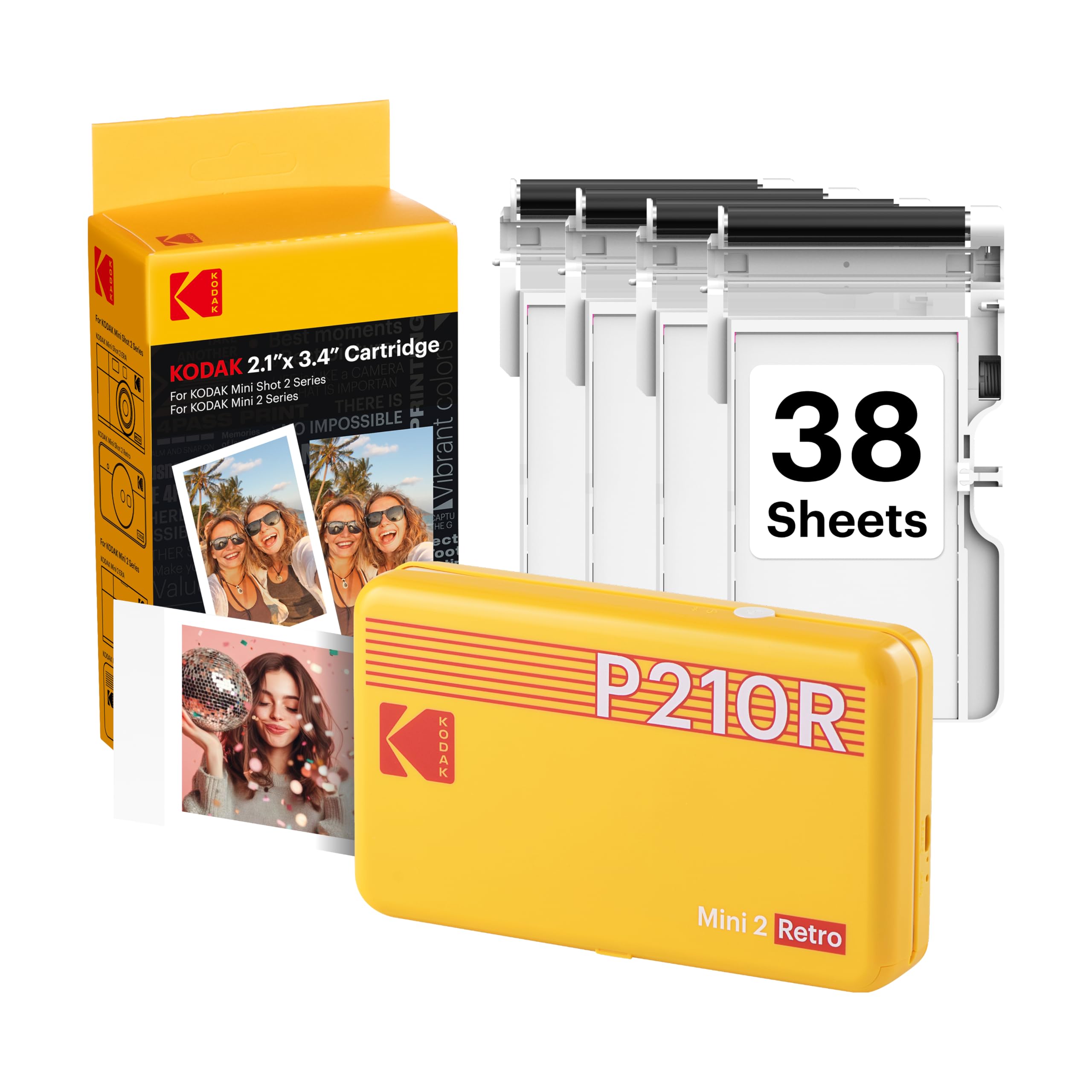
The Step Slim fits buyers who value an ink-free Zink workflow and peel-and-stick prints. Consider the Mini 2 Retro if dye-sublimation printing and its included cartridge-and-paper bundle better fit your priorities.
- The Mini 2 Retro uses 4PASS dye-sublimation printing and comes with cartridges and photo paper; its description says a print takes approximately 55 seconds and is designed to resist fingerprints, water, and fading.
- The Step Slim uses ink-free Zink paper for small adhesive-backed prints and is designed for a slim, pocket-friendly carry.
Is KODAK Step Slim Worth It?
The KODAK Step Slim is worth considering if you want to print small, colorful phone photos for scrapbooks, journals, or casual sharing.
Its portable design, app editing, and adhesive-backed Zink prints make the format easy to understand and use for keepsakes.
Buy it if 2 × 3-inch prints meet your needs and you are comfortable relying on the companion app and compatible paper.
If larger prints or another printing method matters more, compare options built around those priorities before choosing.
Your review at a glance
500+ ratings
Read Amazon ReviewsKODAK Step Slim
A fit for phone photographers, scrapbookers, and travelers who want quick, compact 2 × 3-inch adhesive-backed prints.
- Prints full-color photos on 2 × 3-inch Zink paper.
- Connects wirelessly to compatible iOS and Android devices through the KODAK STEP Prints app.
- The app supports photo personalization with frames, stickers, and other editing tools.
- Zink printing uses paper with embedded color rather than separate ink or toner.