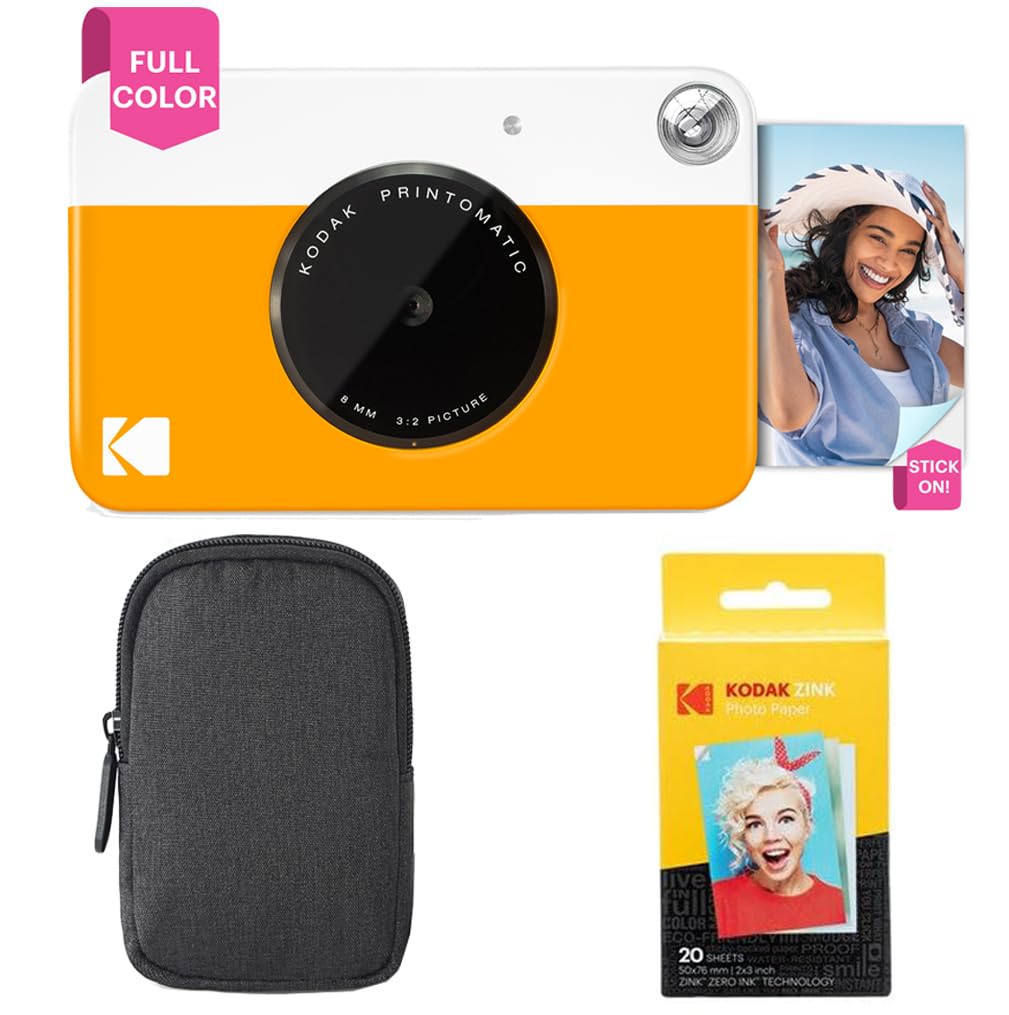
The Kodak Printomatic Full-Color Instant Print Camera Starter Bundle + Carrying Case + review is most relevant to people who want a simple point-and-shoot routine that ends with a small physical photo.
Its appeal is straightforward: take a picture, print it on sticky-back paper, and keep moving without a computer or separate printer.
Kodak Printomatic Review Summary
The quick verdict
3,000+ ratings
Read Amazon ReviewsKodak Printomatic
A compact pick for casual photographers who want quick 2×3-inch prints without carrying a separate printer.
- 5MP image sensor paired with a wide-angle f/2 lens.
- Instant full-color printing on 2×3-inch Kodak Zink photo paper.
- Zink printing requires no ink cartridges or toner.
- Can take another photo while the previous shot is printing.

Pros
- Combines picture-taking and printing in one compact device.
- Simple point-and-shoot approach is suited to casual snapshots.
Consider before buying
- The 2×3-inch print format is small, so it may not suit buyers who want larger keepsakes.
- The described workflow emphasizes direct printing; check whether you need editing or phone-based printing before buying.
Read the full review summary
The Printomatic pairs a 5MP sensor and wide-angle f/2 lens with an instant-print workflow. It can take a new photo while the previous one prints, and the 2×3-inch Zink paper needs no ink cartridges, toner, or conventional film.
The print format suits scrapbooks, notes, and small keepsakes more than anyone seeking a large or highly adjustable photo setup.
This starter bundle includes a carrying case and a 20-sheet Zink paper pack, giving buyers a camera and some paper to start with.
A MicroSD slot can save photos as well as print them, though a card is not specified as included.
The camera’s compact design favors casual outings; buyers should check whether the case and paper quantity suit the way they plan to carry and use it.
The buying factors
Kodak Printomatic Scorecard
Editorial scores reflect listed features and buyer fit; they are not laboratory measurements or customer ratings.
Ease of use
The point-and-shoot workflow is designed to avoid computer setup and a separate printer.
Print convenience
It prints 2×3-inch Zink photos directly from the camera and can continue shooting during a print.
Portability
The camera is described as compact enough to slip into a shirt pocket, and the bundle adds a carrying case.
Digital flexibility
A MicroSD slot saves photos, but the product details do not describe editing or smartphone printing.
Starter readiness
The bundle includes 20 sheets of paper, though buyers may want to check what else is in the box.
Print format versatility
Small 2×3-inch prints are handy keepsakes, but the described format is limited to that size.
Key Features and Specifications of Kodak Printomatic
- 5MP image sensor paired with a wide-angle f/2 lens.
- Instant full-color printing on 2×3-inch Kodak Zink photo paper.
- Zink printing requires no ink cartridges or toner.
- Can take another photo while the previous shot is printing.
- Prints are described as water-resistant, tear-resistant, and smudge-free.
- MicroSD card slot saves photos; no USB cable is included.
- Starter bundle includes a carrying case and 20 sheets of Zink paper.
Pros and Cons of Kodak Printomatic
Pros
- Combines picture-taking and printing in one compact device.
- Simple point-and-shoot approach is suited to casual snapshots.
- Sticky-back prints can be placed in scrapbooks or on suitable surfaces.
- Included paper gives the owner a small supply for getting started.
Consider before buying
- The 2×3-inch print format is small, so it may not suit buyers who want larger keepsakes.
- The described workflow emphasizes direct printing; check whether you need editing or phone-based printing before buying.
- A MicroSD card is not specified as included, and no USB cable comes with the camera.
Who Should Buy Kodak Printomatic?
Good fit
Consider the Printomatic if you want spontaneous, tangible snapshots without setting up a separate printer.
Its compact body and included case make it a practical style of camera to bring along for informal gatherings or everyday moments, while the 20-sheet pack gives you paper for a limited first round of printing.
It is also a reasonable fit for people who value a quick physical memento over extensive control of each image.
The Zink process avoids ink cartridges and toner, and the adhesive-backed 2×3-inch format is convenient for small creative projects.
Before ordering, confirm that the starter paper quantity and case meet your needs, and plan for compatible paper once the included sheets are used.
Who should skip it
Look elsewhere if large prints, detailed image controls, or a broad editing workflow are central to your photography. The described experience is built around quick, small prints from a simple camera.
It may also be a poor fit if you expect a USB cable or MicroSD card to be included; check the package contents and your storage needs before purchase.
How the Kodak Printomatic Fits an Instant-Print Routine
A camera built around immediacy
The camera’s key convenience is that capture and output happen in the same device.
Being able to shoot while a previous photo prints helps keep a casual sequence moving, though printing remains part of the process rather than a way to review and select images before output.
Small prints, simple supplies
Zink paper removes the need to manage ink cartridges or toner, and the 2×3-inch sticky-back format is easy to use for small keepsakes.
That fixed, compact format is the main creative boundary: buyers who want bigger prints should make sure this size matches their plans.
Portable, with a storage detail to plan
The compact design and bundled case support carrying the camera on outings.
A MicroSD slot offers a way to save photos, but the details do not say a card is included, so buyers who want digital copies should check their storage plan and package contents.
Alternatives to Kodak Printomatic
Instant Film Cameras alternative
4,000+ ratings
Read Amazon ReviewsKodak Mini Shot 2 Retro
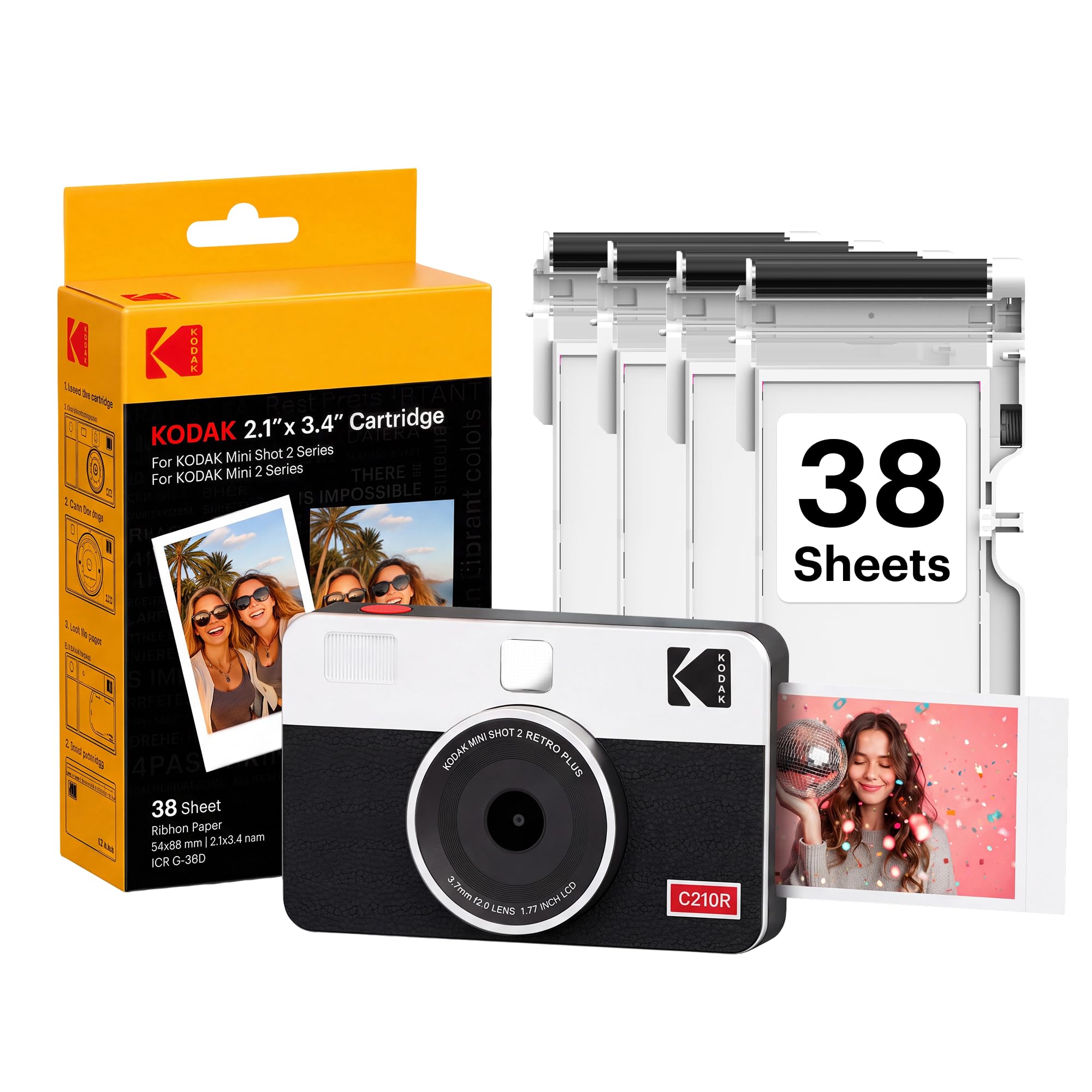
Choose the Printomatic for its simple direct-print setup and included case and paper.
Consider the Mini Shot 2 Retro if smartphone printing, photo editing through an app, or its described layered 4PASS print process is more useful to your routine.
- The Mini Shot 2 Retro combines a camera and printer, prints 2×3-inch photos using 4PASS dye sublimation, and can print from a compatible smartphone over Bluetooth.
- Its description gives an approximate 55-second print time and mentions an LCD screen.
- The Printomatic offers direct 2×3-inch Zink printing, a 5MP sensor, and a compact point-and-shoot setup.
Sticker-print alternative
100+ ratings
Read Amazon ReviewsKodak Step Touch
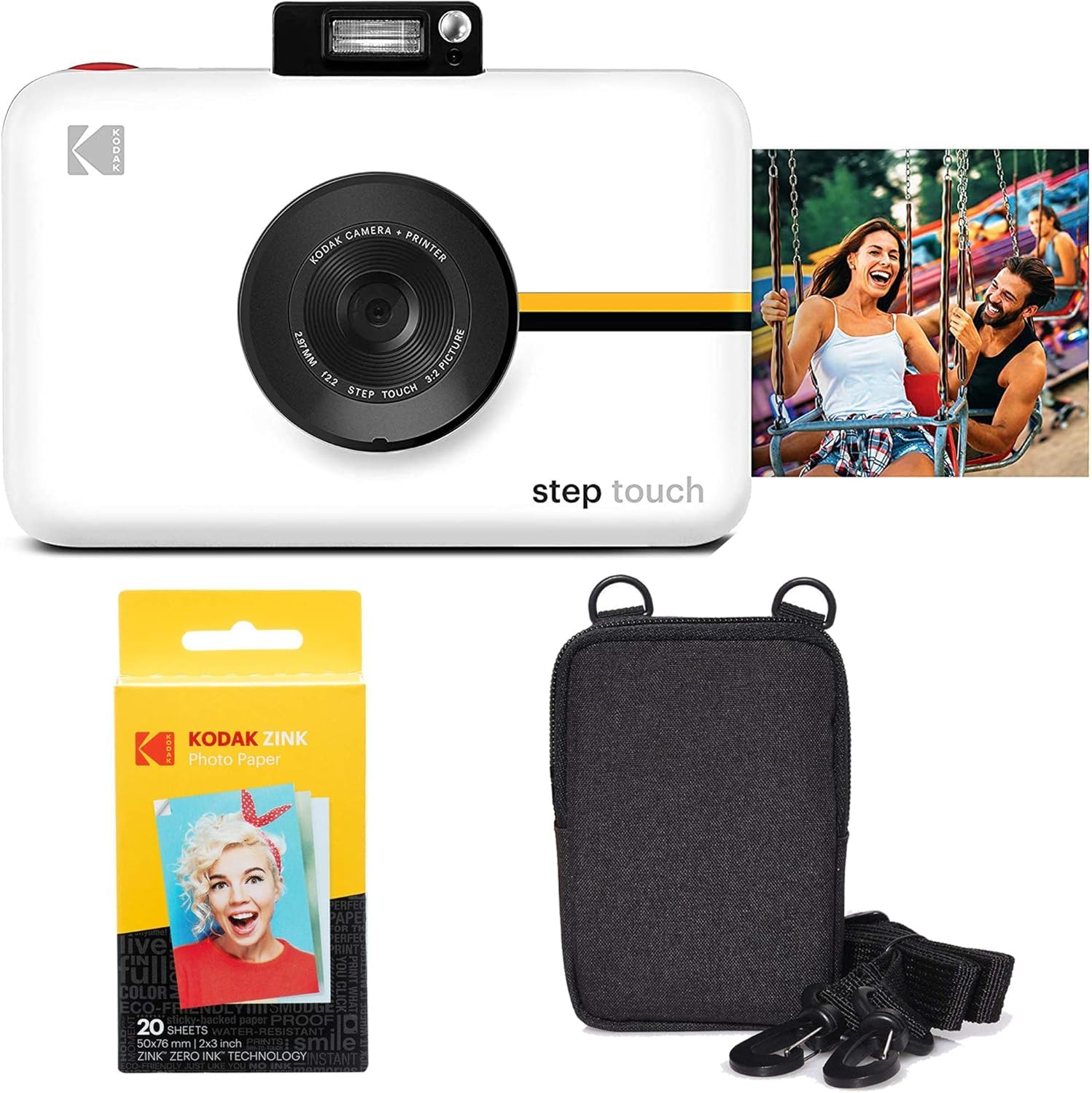
The Printomatic suits buyers who want a compact, basic capture-and-print routine. The Step Touch may fit better if touchscreen framing, zoom, video, and editing are priorities, though its additional features make for a more involved device.
- The Step Touch is described with a 13MP camera, a 3.5-inch touchscreen, 10× optical zoom, 1080p video, onboard editing, and Bluetooth printing.
- It also uses 2×3-inch sticky-back Zink paper.
- The Printomatic centers on straightforward 2×3-inch Zink prints from a 5MP camera.
Is Kodak Printomatic Worth It?
The Kodak Printomatic is worth considering if your priority is a compact camera that turns casual snapshots into small, sticky-back prints with little setup.
Its included case and 20 sheets of paper add practical starter value, while the Zink process keeps ink cartridges and toner out of the routine.
Buy it for immediacy and portability, not for large prints or a feature-rich editing experience.
Check the paper supply and whether you need a MicroSD card or USB cable, since those details affect how ready the bundle is for your intended use.
Your review at a glance
3,000+ ratings
Read Amazon ReviewsKodak Printomatic
A compact pick for casual photographers who want quick 2×3-inch prints without carrying a separate printer.
- 5MP image sensor paired with a wide-angle f/2 lens.
- Instant full-color printing on 2×3-inch Kodak Zink photo paper.
- Zink printing requires no ink cartridges or toner.
- Can take another photo while the previous shot is printing.