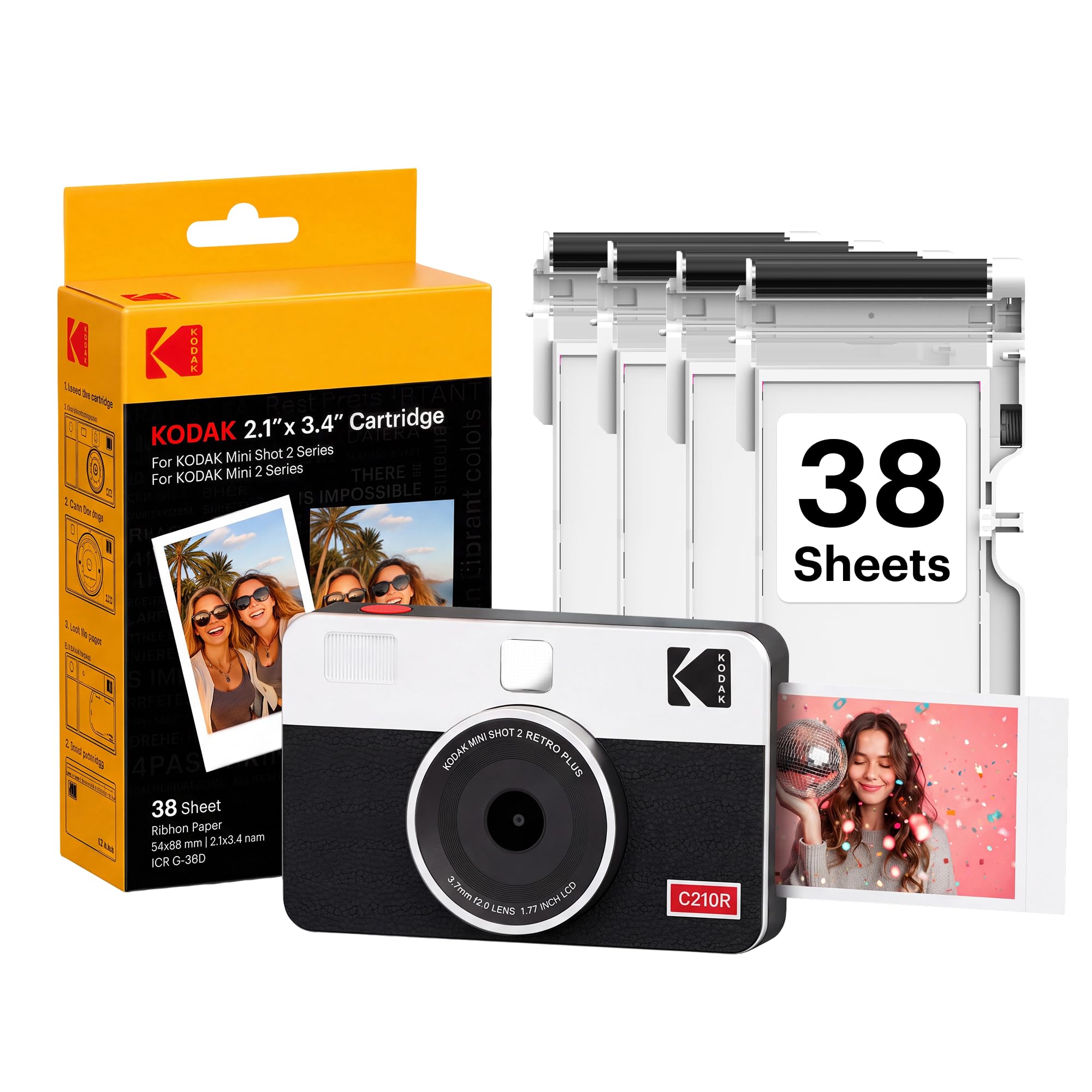
The Kodak Mini Shot 2 Retro combines a simple point-and-shoot camera with a portable photo printer, giving you two ways to make 2-by-3-inch keepsakes.
This kodak mini retro 2 review looks at its hybrid design, dye-sublimation prints, and the tradeoffs to consider for casual use.
Mini Shot 2 Retro Review Summary
The quick verdict
4,000+ ratings
Read Amazon ReviewsKodak Mini Shot 2 Retro
A compact camera-printer for casual photographers who want small keepsake prints and smartphone printing in one device.
- Two-in-one design captures photos and prints them directly, and also works as a Bluetooth photo printer for compatible iOS and Android devices.
- Uses 4PASS dye-sublimation printing, building each image in three color layers and finishing it with a clear protective laminate.
- Prints 2-by-3-inch photos, with a stated print time of approximately 55 seconds.
- The KODAK Photo Printer app offers photo editing, cropping, and customization before printing from a phone.

Pros
- Combines camera capture and smartphone photo printing in a single portable device.
- Four-pass dye-sublimation output has a laminated finish designed to resist fingerprints, water, and fading.
Consider before buying
- The 2-by-3-inch prints are small, so they are better suited to albums, scrapbooks, and handouts than larger wall displays.
- A print takes approximately 55 seconds, which makes repeated printing a deliberate process rather than an instant paper output.
Read the full review summary
The Mini Shot 2 Retro is designed for quick snapshots that become physical prints without a separate printer.
You can shoot with the camera or send pictures from a compatible iOS or Android phone over Bluetooth, then use the KODAK Photo Printer app to crop and customize before printing.
Its appeal is convenience and flexibility rather than advanced photography controls.
The compact body, automatic exposure, LCD viewfinder, and included 38 sheets make it approachable for parties, travel, scrapbooks, and family use, while the small print format suits keepsakes more than display-size photographs.
The buying factors
Mini Shot 2 Retro Scorecard
Editorial scores reflect listed features and buyer fit; they are not laboratory measurements or customer ratings.
Camera-printer versatility
Combines direct camera printing with Bluetooth printing from a compatible smartphone.
Ease of use
Straightforward controls, automatic exposure, and an LCD viewfinder suit casual snapshots.
Print finish
Four-pass dye-sublimation prints receive a clear laminate layer, with the design intended to resist fingerprints, water, and fading.
Creative flexibility
The phone app supports editing, cropping, and customization before printing.
Portability
The compact form is intended to fit in a hand, bag, or pocket for outings.
Print size
The 2-by-3-inch format is easy to share and collect but limits how prominently a photo can be displayed.
Key Features and Specifications of Mini Shot 2 Retro
- Two-in-one design captures photos and prints them directly, and also works as a Bluetooth photo printer for compatible iOS and Android devices.
- Uses 4PASS dye-sublimation printing, building each image in three color layers and finishing it with a clear protective laminate.
- Prints 2-by-3-inch photos, with a stated print time of approximately 55 seconds.
- The KODAK Photo Printer app offers photo editing, cropping, and customization before printing from a phone.
- A 10-megapixel effective still resolution, automatic exposure, and a 1.7-inch LCD screen support simple point-and-shoot use.
- The package description identifies 38 sheets, while the camera's compact design is intended for carrying in a hand, bag, or pocket.
Pros and Cons of Mini Shot 2 Retro
Pros
- Combines camera capture and smartphone photo printing in a single portable device.
- Four-pass dye-sublimation output has a laminated finish designed to resist fingerprints, water, and fading.
- App-based cropping and customization give you a chance to adjust a phone photo before printing.
- Automatic exposure and a small LCD viewfinder keep the shooting process accessible to beginners.
Consider before buying
- The 2-by-3-inch prints are small, so they are better suited to albums, scrapbooks, and handouts than larger wall displays.
- A print takes approximately 55 seconds, which makes repeated printing a deliberate process rather than an instant paper output.
- Ongoing printing depends on having compatible paper and supplies available; check replacement media compatibility and pack quantity before buying.
Who Should Buy Mini Shot 2 Retro?
Good fit
Consider the Mini Shot 2 Retro if you want one device for casual snapshots and small physical prints.
Its hybrid setup can be useful at gatherings or on trips: take a picture directly, or choose a phone image and send it to the printer over Bluetooth.
It also fits buyers who like to personalize prints before sharing them.
Cropping and editing in the app can help frame a smartphone photo for the compact format, while the laminated dye-sublimation finish is aimed at making prints easier to handle and keep.
The included 38 sheets offer a starting supply for trying the camera and printer together.
If you expect frequent use, consider how quickly that supply may be used and confirm compatible replacement media before making it a regular part of your routine.
Who should skip it
Skip it if your priority is large photographs for framing or detailed, high-control photography. Its small print format and automatic exposure are geared toward casual keepsakes, not a more involved camera workflow.
It may also be a poor fit if you want prints to emerge almost immediately or expect to print many images in one sitting.
Allow for the stated print time and think about whether the compact output size suits the way you plan to share or display photos.
How the Mini Shot 2 Retro Fits Everyday Photo Printing
A camera and printer share one workflow
The central convenience is that the device can take a picture and produce a print, while also accepting smartphone photos through Bluetooth.
That gives you a choice between spontaneous capture and selecting an existing image, without requiring a separate portable printer for either route.
Small prints favor sharing and collecting
At 2 by 3 inches, the output is sized for pocketable keepsakes, albums, and scrapbook pages.
That format is handy for passing prints around, but buyers looking for larger images to frame should decide whether the smaller size will feel limiting.
The finishing process shapes print expectations
The 4PASS system lays down three color layers and adds clear lamination, with the print described as designed to resist fingerprints, water, and fading.
Those features point to a finish meant for handling and keeping, while the approximately 55-second cycle means each print takes some patience.
Phone editing adds a useful second path
The companion app supports cropping and customization, which can help adapt a phone photo to the small print before sending it.
This is useful when you want more control over the chosen image than a quick camera snapshot provides; check that the app and your phone work together before relying on that workflow.
Alternatives to Mini Shot 2 Retro
Instant Film Cameras alternative
300+ ratings
Read Amazon ReviewsKodak Mini Shot 2 ERA
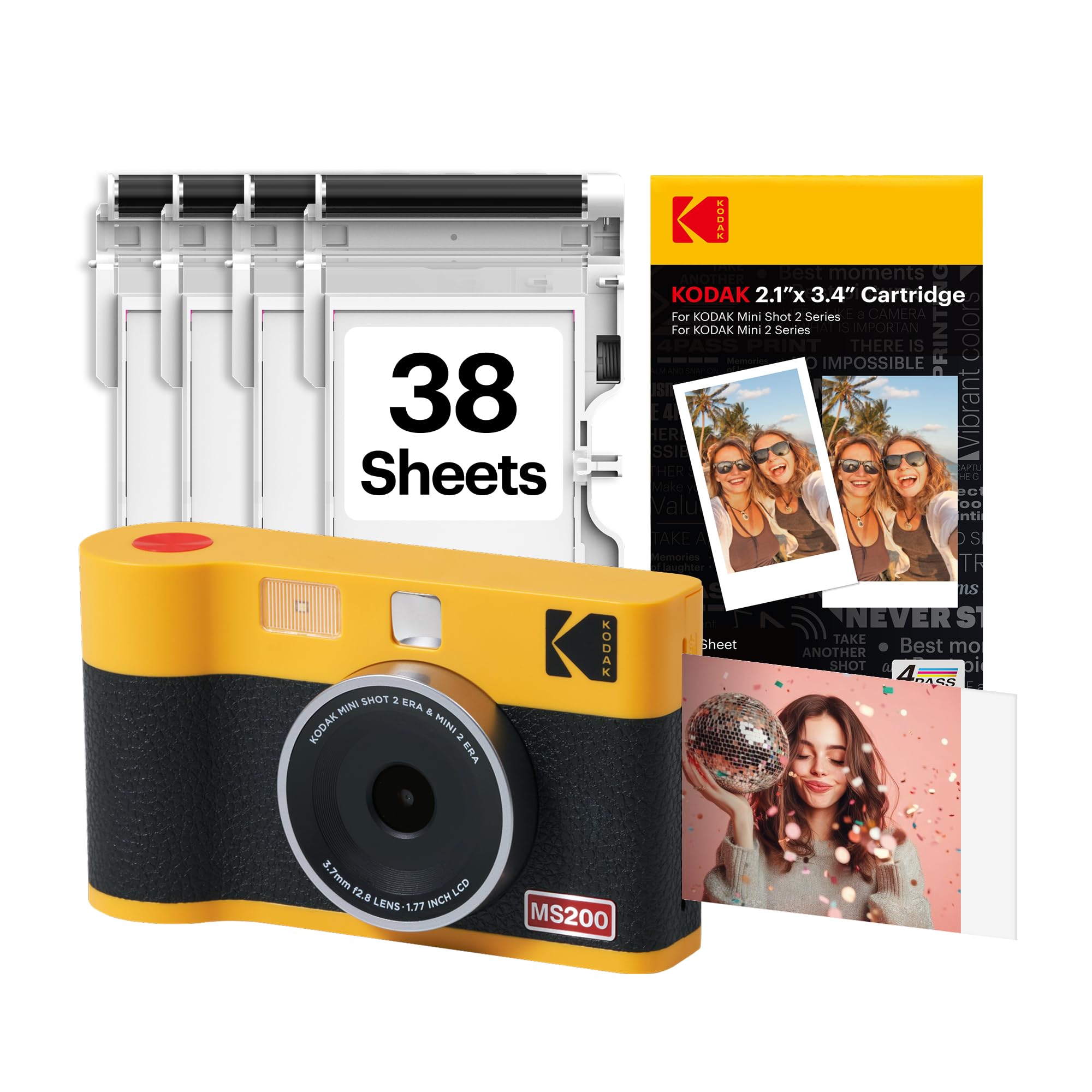
Consider the ERA if its listed retake function, higher stated resolution, or included accessories better suit your preferences.
The Retro remains a comparable option if its compact hybrid setup and described app workflow cover what you need; compare package contents and features before choosing.
- The Mini Shot 2 ERA is also a 2-in-1 camera and smartphone printer with Bluetooth and 4PASS dye-sublimation printing.
- Its supplied description additionally specifies a 13-megapixel camera, retaking before printing, and a bundle with four cartridges, a USB Type-C cable, and a strap.
- The Mini Shot 2 Retro combines camera capture and Bluetooth smartphone printing, with a 2-by-3-inch dye-sublimation print format and a laminated finish.
Sticker-print alternative
1,000+ ratings
Read Amazon ReviewsKodak Step Instant Camera
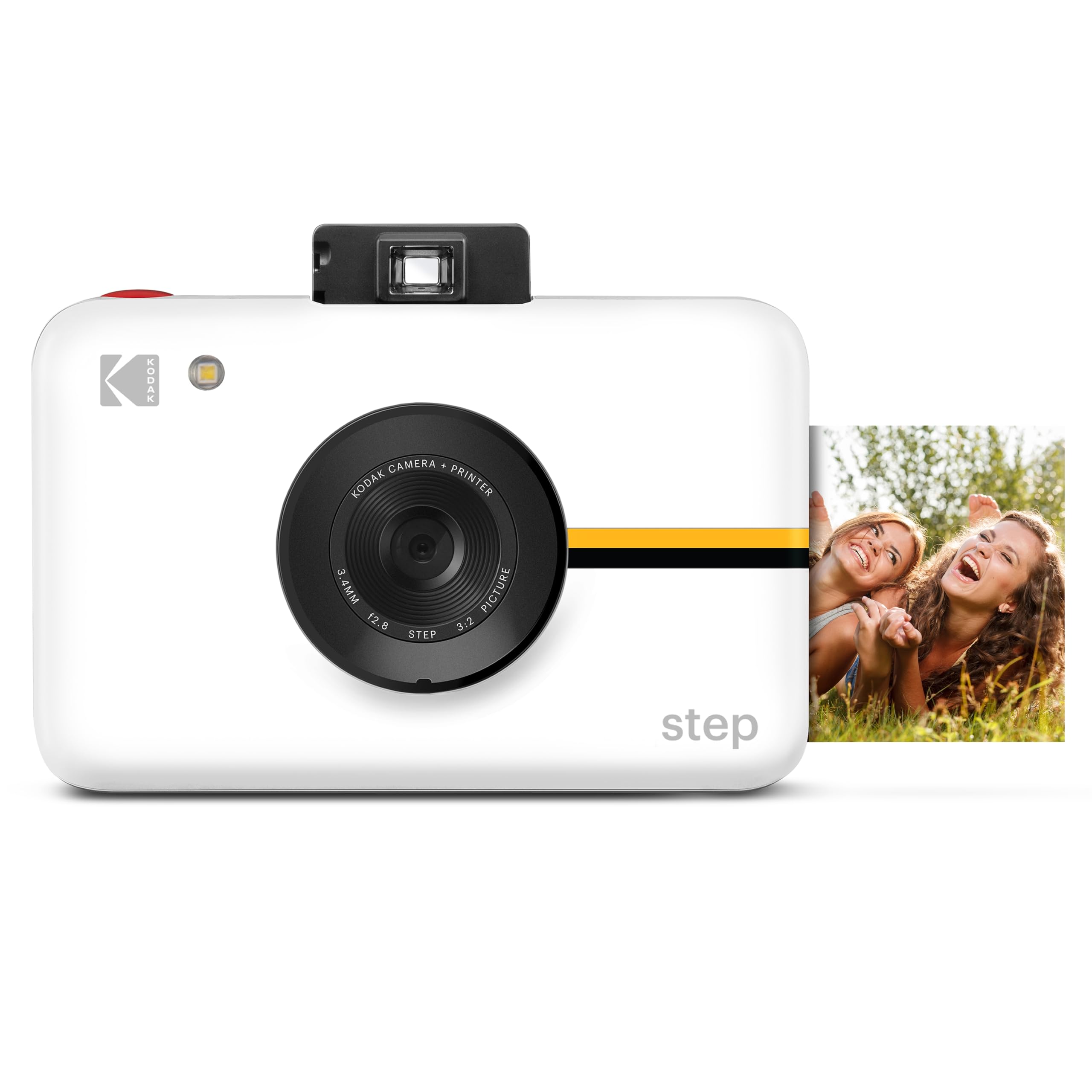
Choose the Step if you prefer sticky-back ZINK prints and its listed shooting modes. The Mini Shot 2 Retro is the better fit if Bluetooth printing from a phone and its dye-sublimation process matter more to you.
- The Kodak Step is a camera that prints 2-by-3-inch sticky-back photos using ZINK technology.
- Its description lists a viewfinder, timer, six picture modes, and support for a microSD card up to 32 GB; the card is not included.
- The Mini Shot 2 Retro can print from a smartphone as well as from its camera, and uses laminated dye-sublimation prints.
Is Mini Shot 2 Retro Worth It?
The Kodak Mini Shot 2 Retro is worth considering if you want a compact camera and printer that can also turn smartphone photos into small physical keepsakes.
Its main strengths are the two input paths, app editing, and laminated 4PASS prints.
Buy it for casual, shareable photos and scrapbook use, after checking that the small print size, roughly 55-second printing cycle, and replacement media fit your routine.
Choose another style of camera if you need larger output or a more photography-focused set of controls.
Your review at a glance
4,000+ ratings
Read Amazon ReviewsKodak Mini Shot 2 Retro
A compact camera-printer for casual photographers who want small keepsake prints and smartphone printing in one device.
- Two-in-one design captures photos and prints them directly, and also works as a Bluetooth photo printer for compatible iOS and Android devices.
- Uses 4PASS dye-sublimation printing, building each image in three color layers and finishing it with a clear protective laminate.
- Prints 2-by-3-inch photos, with a stated print time of approximately 55 seconds.
- The KODAK Photo Printer app offers photo editing, cropping, and customization before printing from a phone.