A useful gift for a programmer can make focused work more comfortable, support a side project, or simplify a desk full of devices.
These 11 ideas span workspace accessories, audio gear, and portable tools. Before buying, consider the recipient’s setup and check compatibility with their devices.
11 Gift Ideas for Programmers, From Desk Upgrades to Tech Extras
FIFINE T669 USB Condenser Microphone Kit

- Connects to a PC or laptop with a plug-and-play USB connection.
- Includes a boom arm stand and double pop filter.
- The cardioid capsule captures audio from the front.
Best Gift For: A programmer who records podcasts, voiceovers, or vocals at a desk.

TP-Link Archer AXE75 WiFi 6E Router

- Tri-band WiFi 6E supports browsing, streaming, gaming, and downloading.
- Includes a 6 GHz band for more bandwidth.
- OneMesh support can extend coverage with a compatible extender.
Best Gift For: A programmer upgrading a home network for gaming, streaming, and video calls.
HUANUO FlowLift Single Monitor Mount

- Fits monitors from 13 to 32 inches and weighing 4.4 to 19.8 lbs.
- Offers tilt, swivel, and rotation adjustments.
- Choose between a C-clamp or grommet mount.
Best Gift For: A programmer whose monitor setup could benefit from adjustable positioning.
Nulaxy Pull-Out Height Adjustable Laptop Stand

- Fits laptops from 10 to 17 inches.
- Raises the screen from 1.2 to 20 inches.
- Folds compactly for storage.
Best Gift For: A programmer who alternates between sitting and standing at a desk.
SteelSeries Apex Pro Gen 2 Wired Keyboard

- OmniPoint 2.0 switches offer adjustable actuation.
- The OLED display shows information from games and apps.
- USB passthrough connects an additional USB-powered device.
Best Gift For: A programmer who enjoys adjustable keyboard controls and PC gaming.
SteelSeries Rival 5 Gaming Mouse

- The programmable layout has nine buttons.
- Five side buttons provide quick actions.
- Uses a TrueMove Air optical sensor.
Best Gift For: A programmer who also plays fast-paced PC games.
Audioengine A2+ Wireless Computer Speakers

- Bluetooth streams audio from phones, tablets, and computers, with wired inputs also available.
- The integrated DAC connects to a computer through USB-C.
- Real wood cabinets are hand-finished.
Best Gift For: A programmer who listens to music, podcasts, or game audio at a desk.
SABRENT USB-C 6-Port Hub and M.2 SSD Dock

- Includes three USB Type-A ports: two USB 3.2 Gen 1 ports and one USB 2.0 port.
- The HDMI port supports an external display up to 4K@60Hz.
- The M.2 slot supports SATA or NVMe SSDs.
Best Gift For: A programmer who wants a laptop hub with extra connectivity and storage options.
SABRENT USB-C and USB-A SD Card Reader

- USB-C and USB-A connectors work with supported devices.
- Dual slots support SD and Micro SD card formats.
- USB 3.0 supports transfers up to 5Gbps.
Best Gift For: A programmer who transfers files from SD or Micro SD cards.
MAONO Wave T5 Mini Wireless Lavalier Microphone

- Offers four one-tap voice presets.
- The charging case provides up to 40 hours of total use.
- The receiver has a Type-C port for charging a phone while connected.
Best Gift For: A programmer who makes video tutorials, podcasts, or voiceovers.
Cruise On Non-Surge Power Strip with 2 USB Ports
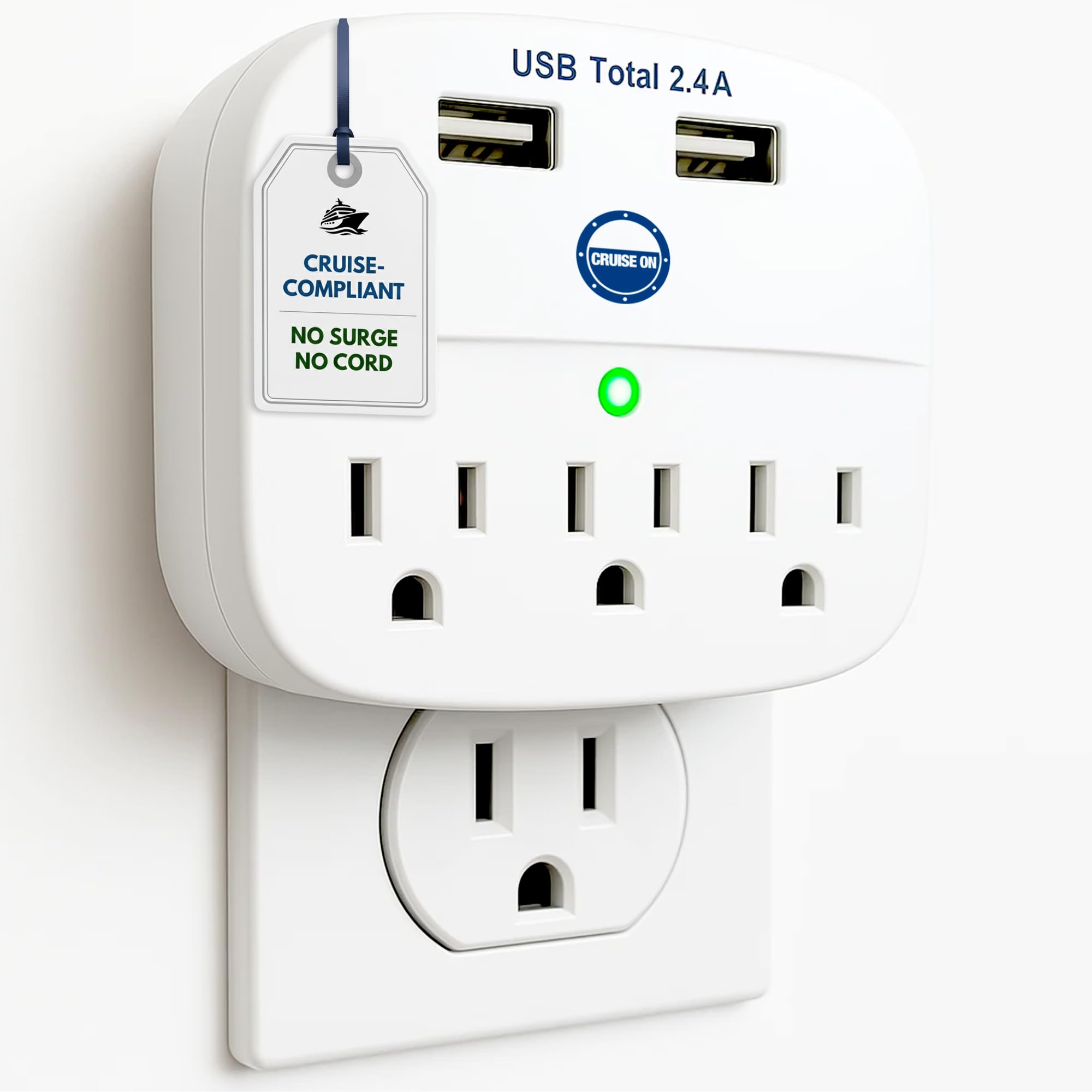
- Has two USB ports and three AC outlets.
- Can power up to five devices at once.
- Designed without an extension cord.
Best Gift For: A programmer taking a cruise who wants extra charging connections in their cabin.
1. Choose gifts for programmers around daily routines
When choosing gifts for programmers, start with how the recipient spends time at their desk. Someone who records tutorials or joins frequent calls may appreciate audio equipment, while a person who moves between devices may get more use from a hub or card reader.
Think about what would fit naturally into an ordinary workday.
A workspace gift needs to suit the actual setup. Before choosing a monitor mount or laptop stand, check the recipient’s screen or laptop dimensions, mounting options, desk space, and preferred working posture.
If you cannot check directly, a gift receipt or an easy exchange can make a larger accessory more practical.
Consider interests beyond coding, too. Programmers who play games, listen to music, make videos, or travel may value gear that supports those activities.
A small accessory can be a thoughtful choice when it solves a familiar hassle, such as moving files or connecting devices, without taking up much room.
2. Balance the budget with everyday usefulness
Set a comfortable budget before comparing options. Small accessories can be useful on their own, while larger workspace or audio upgrades may feel more substantial.
The right choice depends on what the recipient needs and how often they would use it, not simply on the size of the gift.
For a modest present, look for an accessory that addresses a specific inconvenience. For a bigger occasion, consider whether the recipient already owns a similar item and whether the proposed upgrade fits their setup.
Check actual prices before buying, since prices can change, and avoid assuming that a higher cost guarantees a better match.
A shared gift can make a larger upgrade more manageable if several people want to contribute. Agree on the item and compatibility details first, then coordinate the purchase so the recipient does not end up with duplicates or a device that does not work with their equipment.
3. Personalize gifts for programmers thoughtfully
Personalization can be as simple as choosing around a known habit. For gifts for programmers, think about whether the person mostly works from a fixed desk, moves between home and office, or creates audio and video alongside their technical work.
That context can turn a general tech accessory into a more considered choice.
You can also match the gift to their interests without making assumptions about what all programmers enjoy. A gamer may welcome an input device, while a music listener might prefer desktop audio.
If you are unsure, ask a friend or family member about their setup, or choose something with clear compatibility information and an easy exchange option.
Presentation helps make a practical item feel personal. Add a short note explaining why it reminded you of them, such as a shared interest in music or a recent conversation about their workspace.
For a larger device, keep the packaging and include a gift receipt so the recipient can adjust the choice if needed.
4. Make the gift feel considered
A practical gift can be warm and personal when it reflects what you have noticed. If the recipient has mentioned clutter, long video calls, or difficulty moving files, a useful accessory tied to that concern shows attention.
Keep the note brief and specific, and let the gift itself remain easy to use in their routine.
Think about where the item will live. Desk accessories need room and may require a particular mounting arrangement, while portable tools should be easy to pack and carry.
If the recipient shares a workspace, a compact or flexible option may be more welcome than something that occupies a large permanent footprint.
For a group present, agree on a single person to handle the purchase and presentation. This avoids repeated orders and makes it easier to keep track of the receipt, packaging, and any setup information the recipient may need.
5. Leave room for last-minute decisions
If you are shopping close to the occasion, choose a gift whose fit you can verify quickly. Check compatibility, dimensions, and the recipient’s existing devices before ordering.
Review current delivery estimates at checkout rather than relying on assumptions, and have a card or small accompanying note ready if timing changes.
When those details are hard to confirm, a gift receipt or a flexible gift card can reduce the guesswork. You could also give a short note about the kind of upgrade you have in mind and let the recipient choose the exact model.
That approach works especially well for equipment that connects to a particular computer or desk setup.
For a last-minute in-person gift, presentation can be simple: wrap the item neatly, include a note, and explain the thought behind it. For a digital gift, send it with a personal message about the interest or routine you had in mind.
A specific reason makes even a quick choice feel deliberate.