Small upgrades can make recording sessions, calls, and everyday content work feel smoother. These eight picks span audio, lighting, mounting, printing, and desk connectivity.
Choose around the creator’s routine and existing devices, then check compatibility and current product details before buying.
8 Gift Ideas for Content Creators Under 50
FIFINE K669B USB Condenser Microphone

- A plug-and-play USB microphone for computer recording.
- Its stable tripod stand suits voice overs and livestreams.
- A volume knob allows louder or quieter adjustment.
Best Gift For: A creator recording vocals, voice overs, streams, or online meetings at a computer.

MAONO Wave T1 Mini Lavalier Microphone
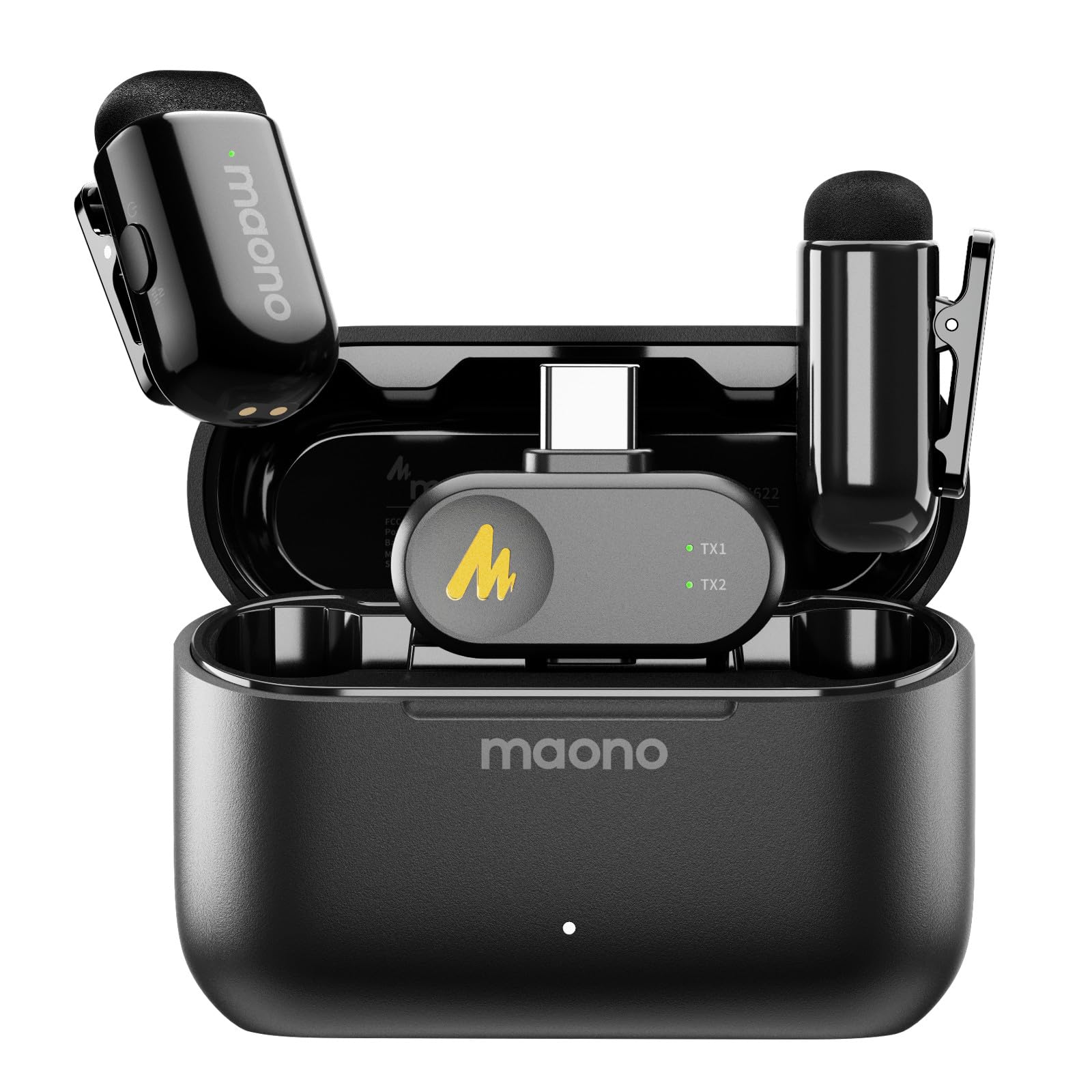
- The clip-on mic offers one-click noise reduction control.
- The compact charging case supports up to 30 hours of use.
- The receiver allows device charging while recording.
Best Gift For: A mobile creator who records vlogs, interviews, or videos with a compatible phone.
SMALLRIG P96 Pro Mini LED Video Light
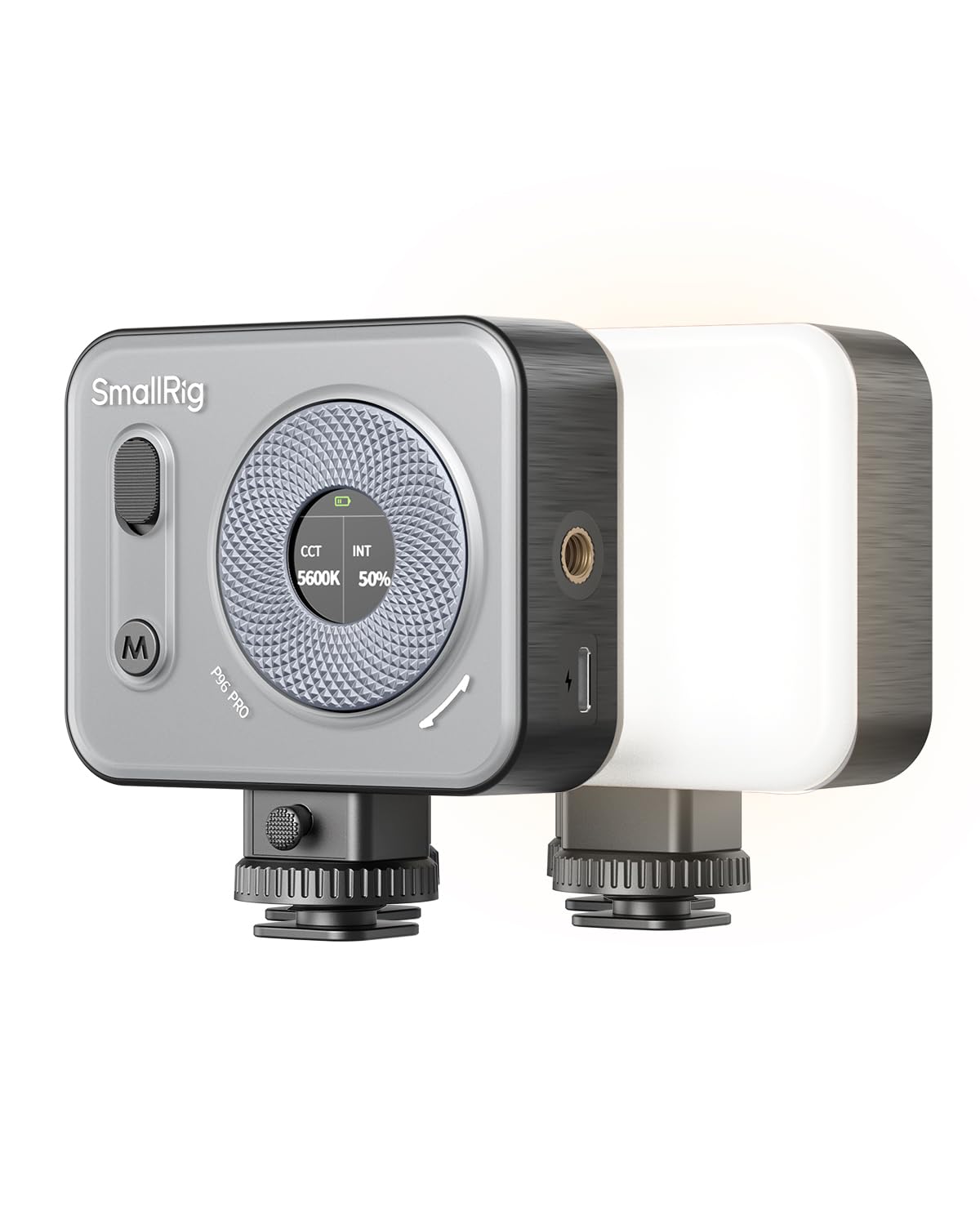
- An LCD screen displays color temperature and brightness settings.
- Cool, warm, and special effects modes offer different lighting looks.
- The light supports handheld, top-mount, or desktop tripod setups.
Best Gift For: A creator who wants adjustable fill light for portraits, tabletop scenes, or live streams.
SmallRig Super Camera Clamp Mount 1138
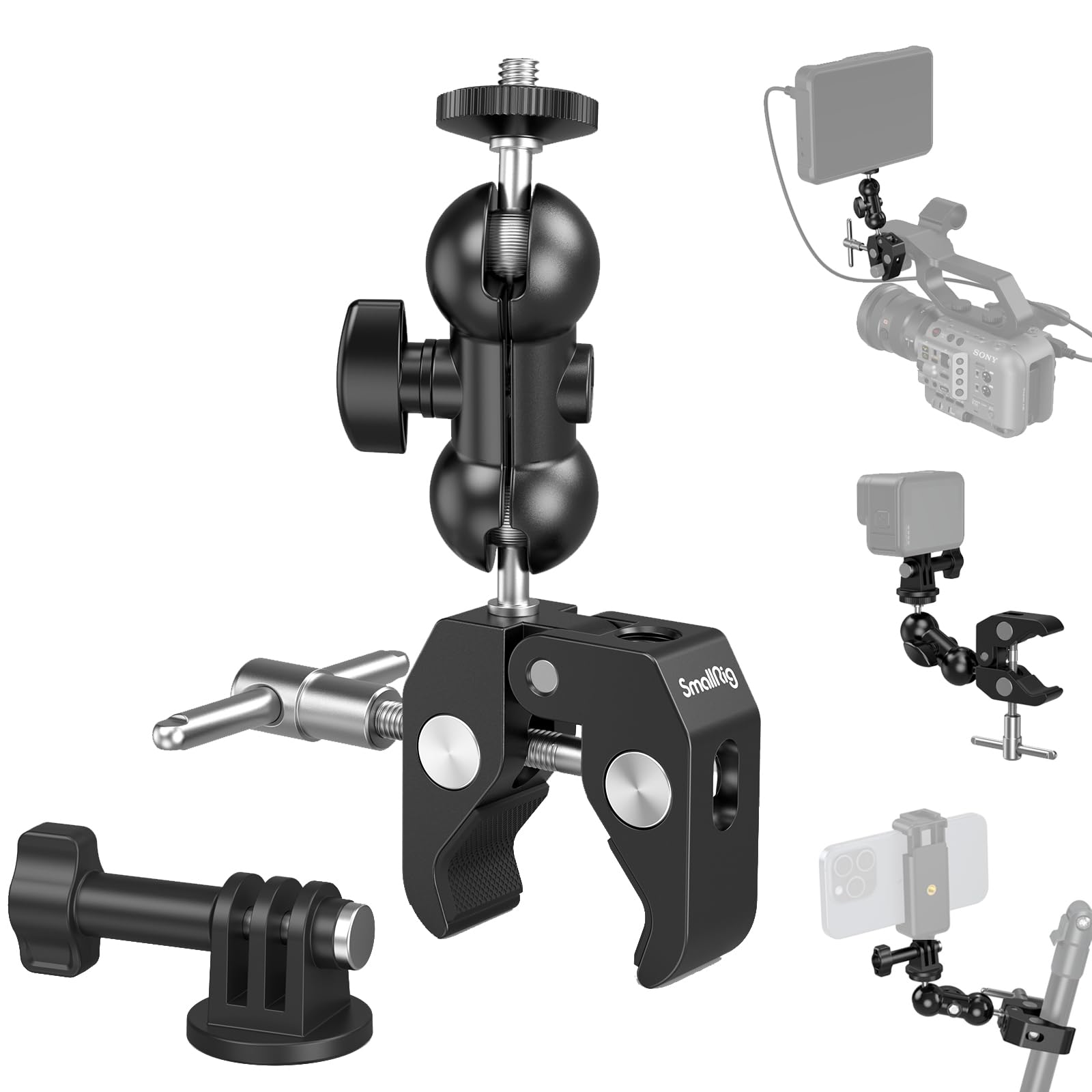
- The clamp uses non-slip threads and an anti-twist structure.
- It includes clamps and a 1/4-inch-20 screw for mounting gear.
- The package includes a super clamp and an action camera mount.
Best Gift For: A creator who wants to attach a camera, webcam, light, or microphone to a desk or rod.
MACTREM 67-Inch Phone and Tablet Tripod
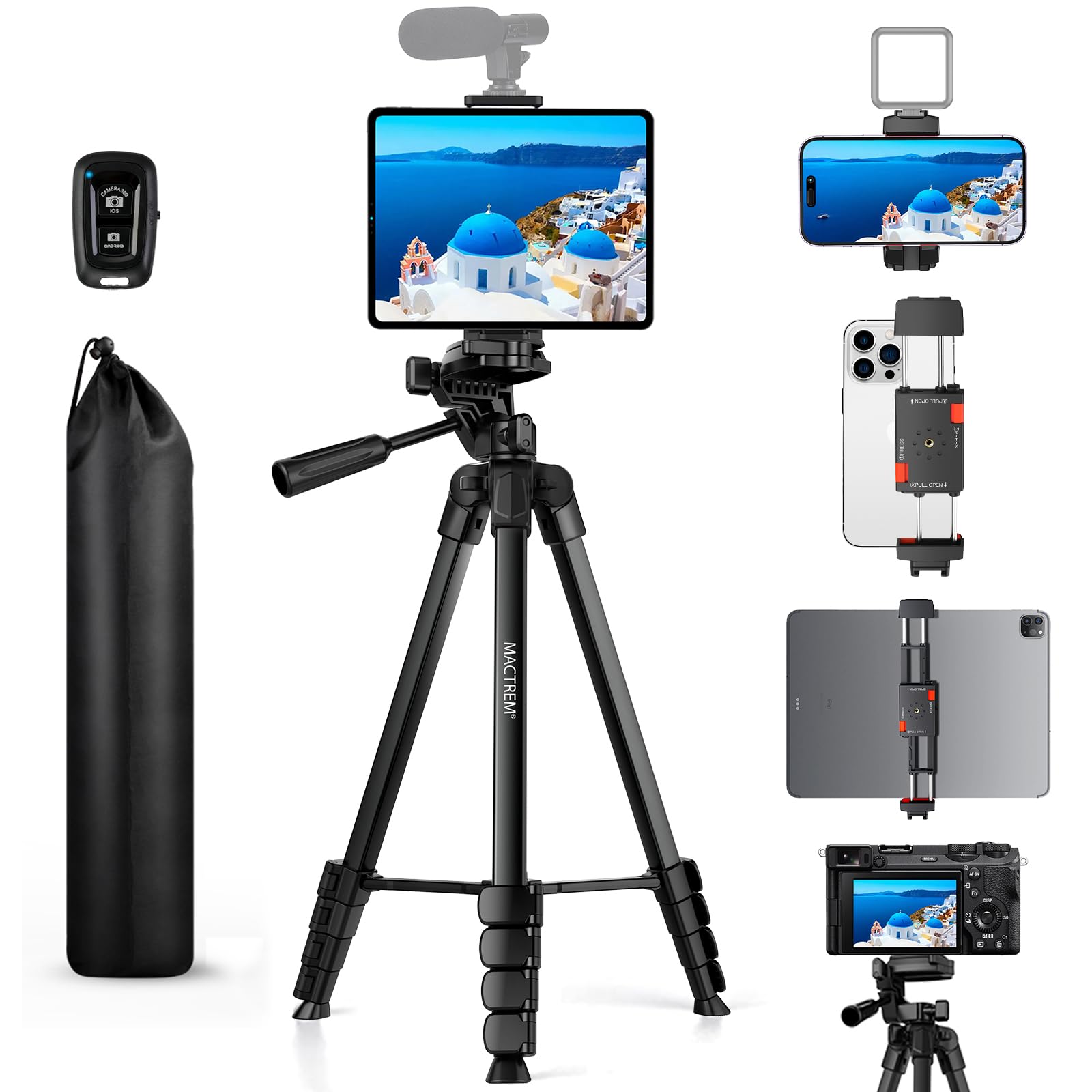
- The tripod extends from 17.7 to 67 inches.
- Its Bluetooth remote captures photos and videos from up to 33 feet away.
- The mount fits smartphones and tablets up to 12.9 inches.
Best Gift For: A creator who films alone with a phone, tablet, or lightweight camera.
TYPONOS PM290 Mini Sticker Printer, 3-Roll Pack
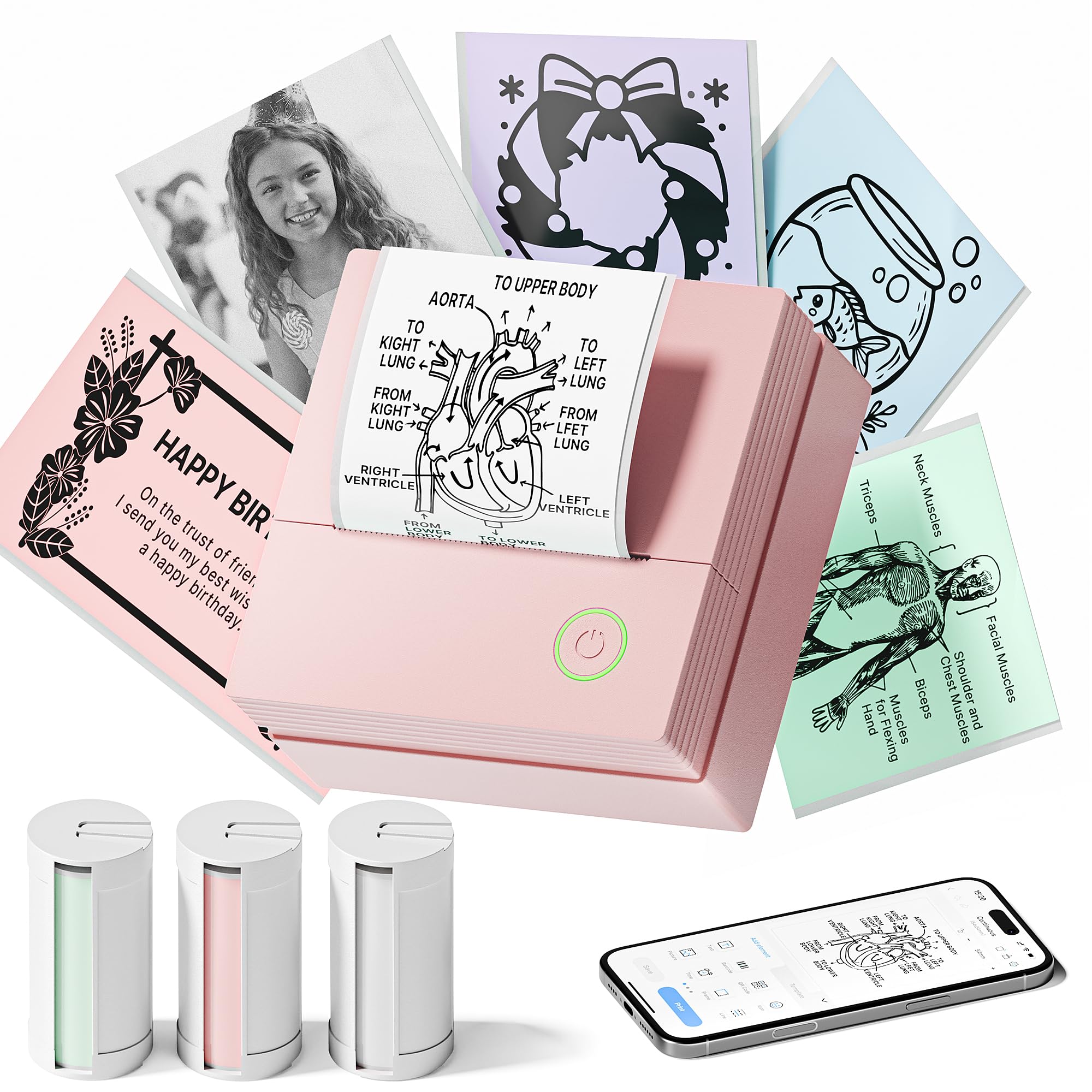
- It includes three rolls of adhesive paper in white, pink, and green.
- The printer connects to iOS or Android devices through the app.
- It prints monochrome text and images.
Best Gift For: A creator who enjoys making labels, planner notes, or small-business materials.
SABRENT 5-in-1 USB-C Hub
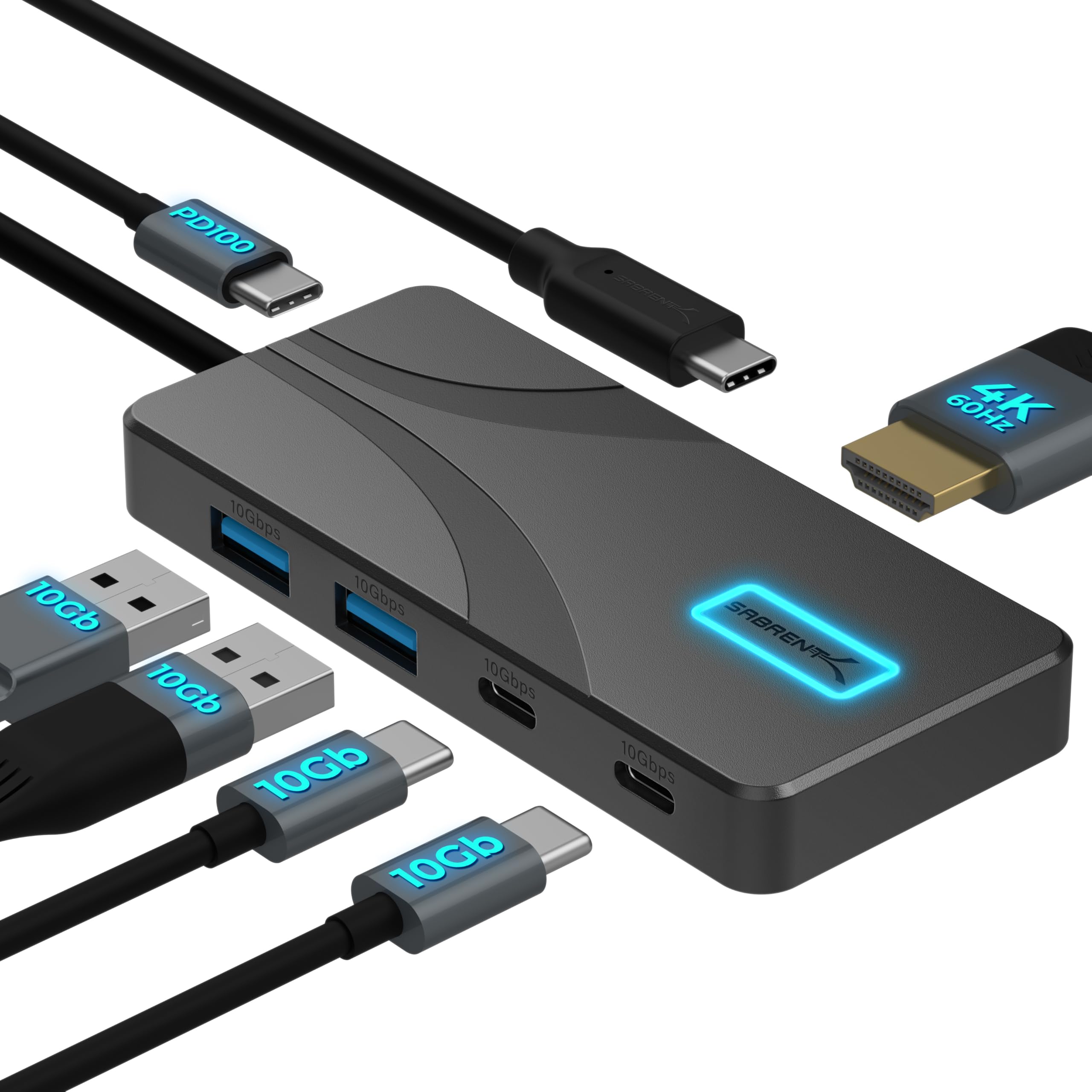
- It has two USB-A and two USB-C data ports.
- The HDMI output supports up to 4096×2160 at 60Hz.
- The hub passes up to 80W to a laptop through its PD input.
Best Gift For: A creator whose USB-C laptop or tablet needs added ports and an HDMI display connection.
JLab Go Work Wireless On-Ear Headset, 1-Pack

- Bluetooth multipoint connects to two devices simultaneously.
- The headset includes an accompanying USB-C to 3.5mm cable for wired use.
- A red LED at the boom mic indicates when mute is on.
Best Gift For: A creator who moves between computer calls and mobile listening.
1. Match gifts for content creators under 50 to their routine
For gifts for content creators under 50, start by noticing where the recipient does most of their work. Someone who records at a desk may appreciate an audio or connection upgrade, while a phone-first creator may value a flexible filming setup.
Think about the task they repeat, such as recording a voice-over, shooting a quick tutorial, or joining a call between projects.
Consider what they already own before choosing equipment. A microphone or hub can be useful only when it works with their phone, computer, and ports; a mount needs to suit the device they intend to use.
If you are unsure, a compact light or an organizing tool may be easier to fit into an existing setup.
Look for gifts that reduce friction in a familiar routine. A creator who films alone might welcome a remote shutter, while someone who makes frequent short videos may enjoy an easy way to adjust lighting.
Small workflow improvements can feel personal when they respond to a real habit rather than an imagined upgrade.
2. Balance budget and usefulness
Within a modest budget, decide whether the recipient needs one central tool or a small accessory that supports something they already have. A microphone, light, or tripod can shape a recording setup; a clamp or hub can help connect or position existing gear.
A lower-cost item can still be thoughtful when it solves a recurring annoyance.
Check actual prices before ordering, since prices can change. Also review what comes in the package and whether the gift needs another purchase, such as a compatible adapter, charger, or accessory.
That extra step can change how complete the gift feels, especially if the recipient is likely to use it right away.
Keep the recipient’s comfort and space in mind. A larger setup may be useful for a dedicated work area, while a portable accessory can suit someone who records in different rooms or travels.
Choose the option that fits their available space and habits, not simply the one with the most features.
3. Personalize gifts for content creators under 50
Gifts for content creators under 50 feel more considered when paired with a note that names the kind of work you admire. Mention a video series, a presentation, or a project they are developing, then explain how the gift might support their next session.
Keep the note warm and specific without assuming how they should use it.
Presentation can make a practical tool feel celebratory. Wrap a small accessory with a handwritten card, or place it alongside a notebook for planning ideas.
If you are giving a device that depends on compatibility, include a short offer to help them check their setup before opening or using it.
You can personalize around a creator’s process rather than their public output. A tidy desk, a quiet recording corner, or a repeatable filming routine may matter as much as the finished post.
A gift that respects the time and care behind their work can feel meaningful even when it is simple.
4. Choose for the kind of content they make
Think about the format they return to most often. Spoken recordings put emphasis on clear audio and comfortable calls; video work may call for steady positioning or adjustable light.
Creators who plan, label, or package materials may enjoy practical ways to organize details. Match the gift to the work they actually do, rather than a trend.
Some people create in a dedicated space, while others record wherever the day allows. For a fixed desk, a mount or hub may help make equipment easier to reach.
For a more flexible routine, compact gear that is easy to carry or reset can be more appealing. Consider whether they prefer a simple setup or enjoy adjusting options.
When uncertain, choose a gift with a clear, familiar use. A straightforward way to position a device or improve a recording session is easy to understand and can complement existing tools.
Avoid guessing at advanced needs; a quick conversation about device compatibility or preferred workflow can make the choice more useful.
5. Last-minute buying advice
Before you place an order, confirm the recipient’s device connections and the accessory’s compatibility. Check dimensions if the item needs to fit on a desk, in a bag, or around a particular device.
Read the current product details carefully, especially for included components, charging needs, and any app or operating system requirements.
If timing matters, check the seller’s delivery estimate for your address and leave room for delays. A digital card with a note can accompany a physical gift if it arrives later, but avoid promising a date until the estimate supports it.
A clear explanation makes a practical gift feel intentional even when the schedule is tight.
If you are choosing between two options at the last minute, return to the recipient’s routine and pick the one with the clearest fit. Verify the current price, package contents, and return terms before checkout.
A concise card explaining why you chose it can connect the item to their creative goals and make the moment feel personal.