The best wireless earbuds for work depend on whether you need laptop-and-phone switching, clearer calls, fewer distractions, or awareness of your surroundings. These picks cover open-ear designs and conventional earbuds, with battery life and work-focused controls that help narrow the fit for your day.
Quick Top Products
JLab JBuds Sport ANC 4
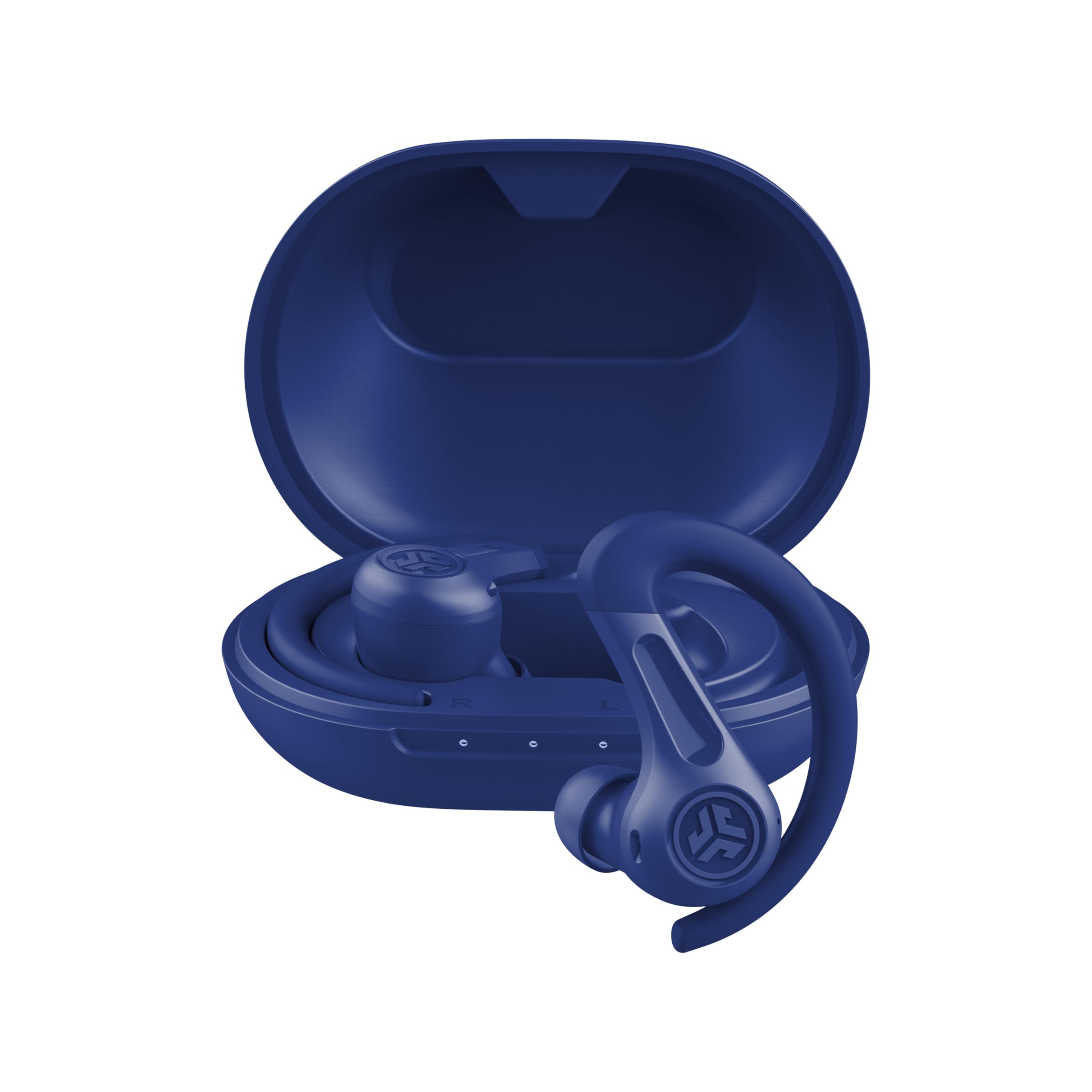
- Hybrid ANC and Be Aware mode offer two ways to manage surrounding sound.
- Multipoint connects two devices, such as a phone and laptop.
- The earbuds offer 14+ hours each and 60+ hours total with the case.
Best For: Workers who want noise control, long battery life, and connections to a phone and laptop.

SHOKZ OpenFit 2
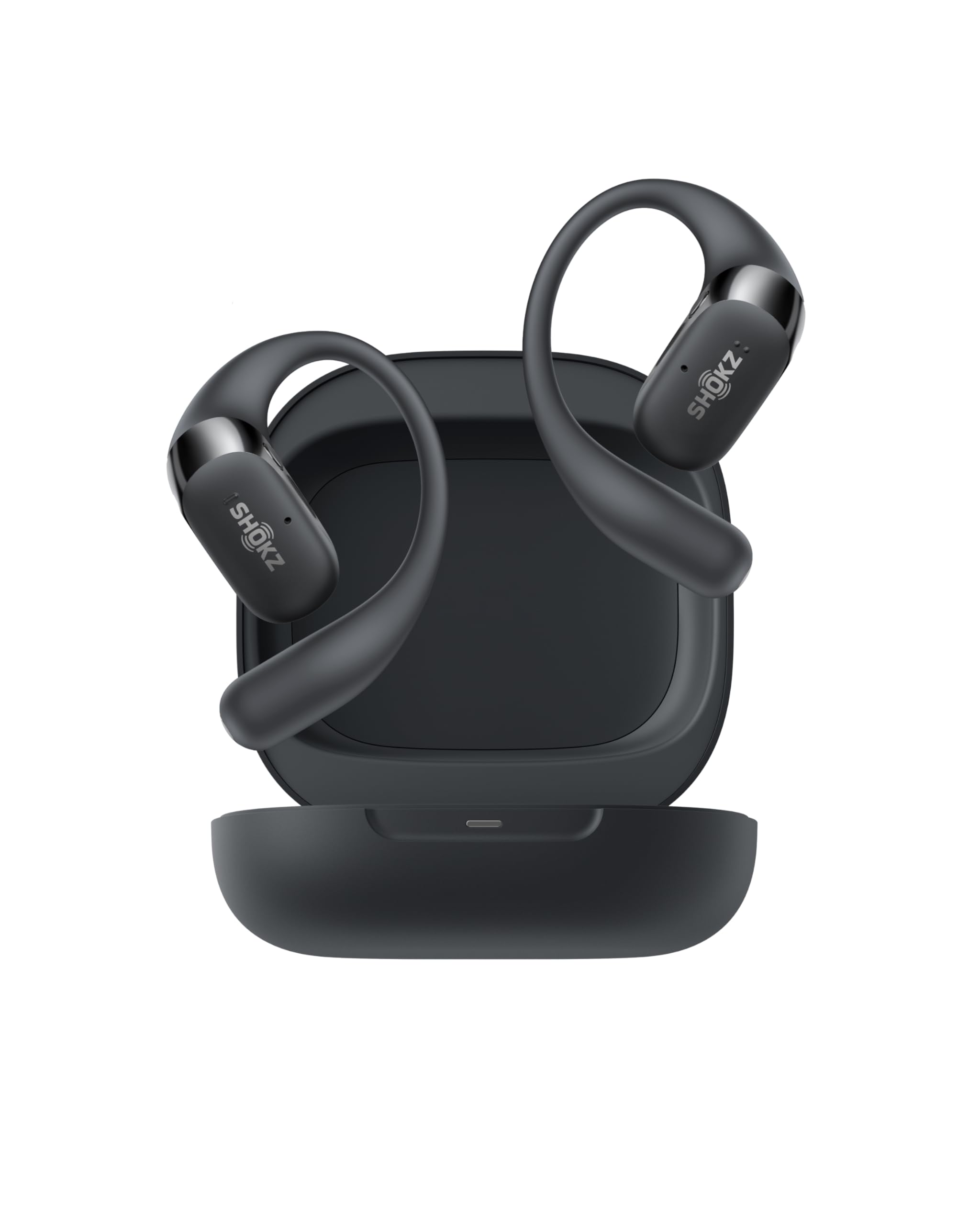
- Open-ear listening keeps you connected to your surroundings.
- Physical buttons switch between two paired devices.
- Battery life is up to 11 hours per charge and 48 hours with the case.
Best For: People who want an open-ear design, long listening time, and physical controls for two devices.
SHOKZ OpenDots 2
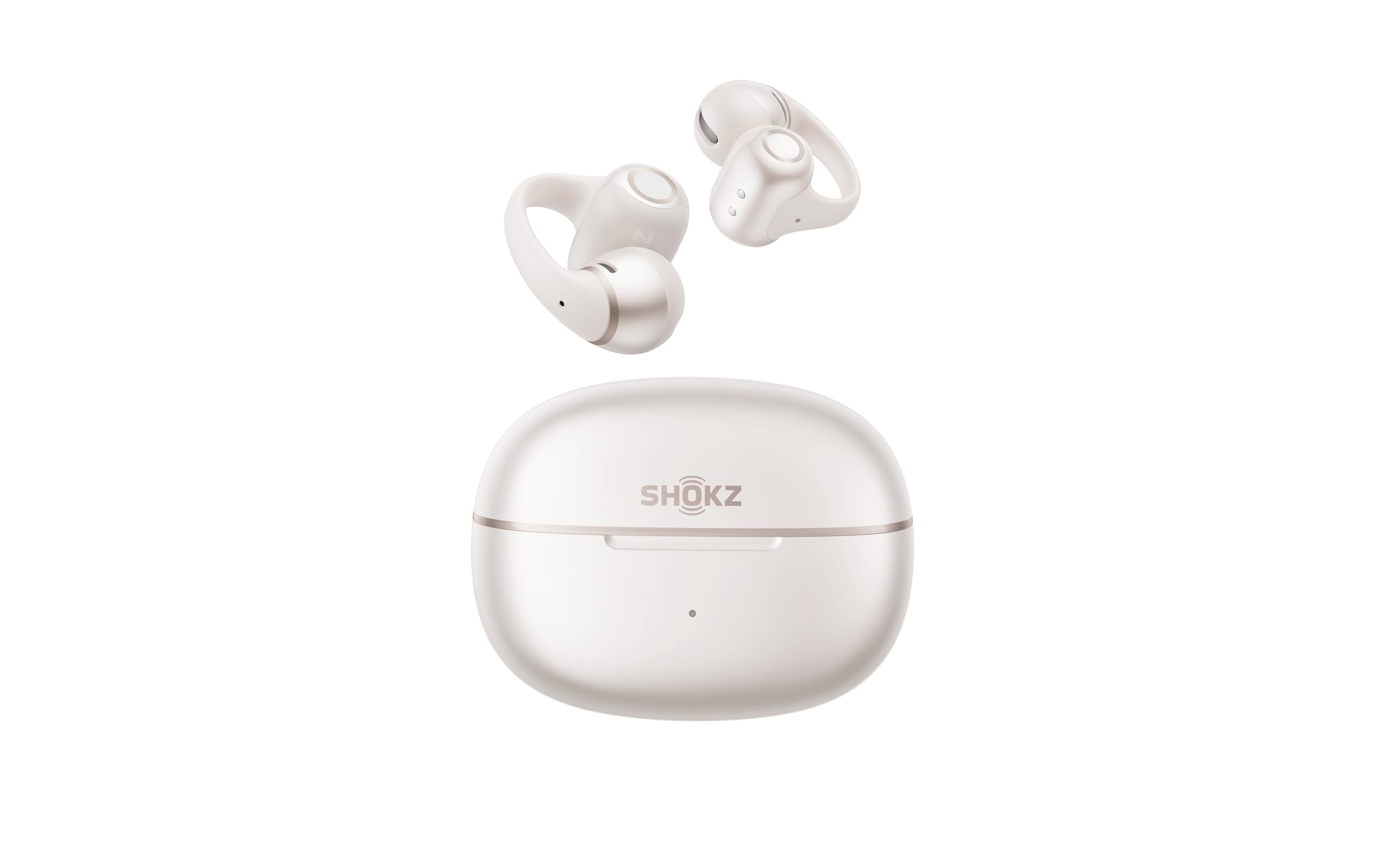
- The clip-on form keeps the ear canal open.
- Three microphones and AI noise reduction support calls.
- Qi wireless charging and multipoint are included.
Best For: Workers who prefer clip-on open-ear earbuds and want multipoint pairing with wireless charging.
JLab, Flex, Open Ear Earbuds, Clip On Wireless Bluetooth Earbuds, Open Ear Headphones, Black
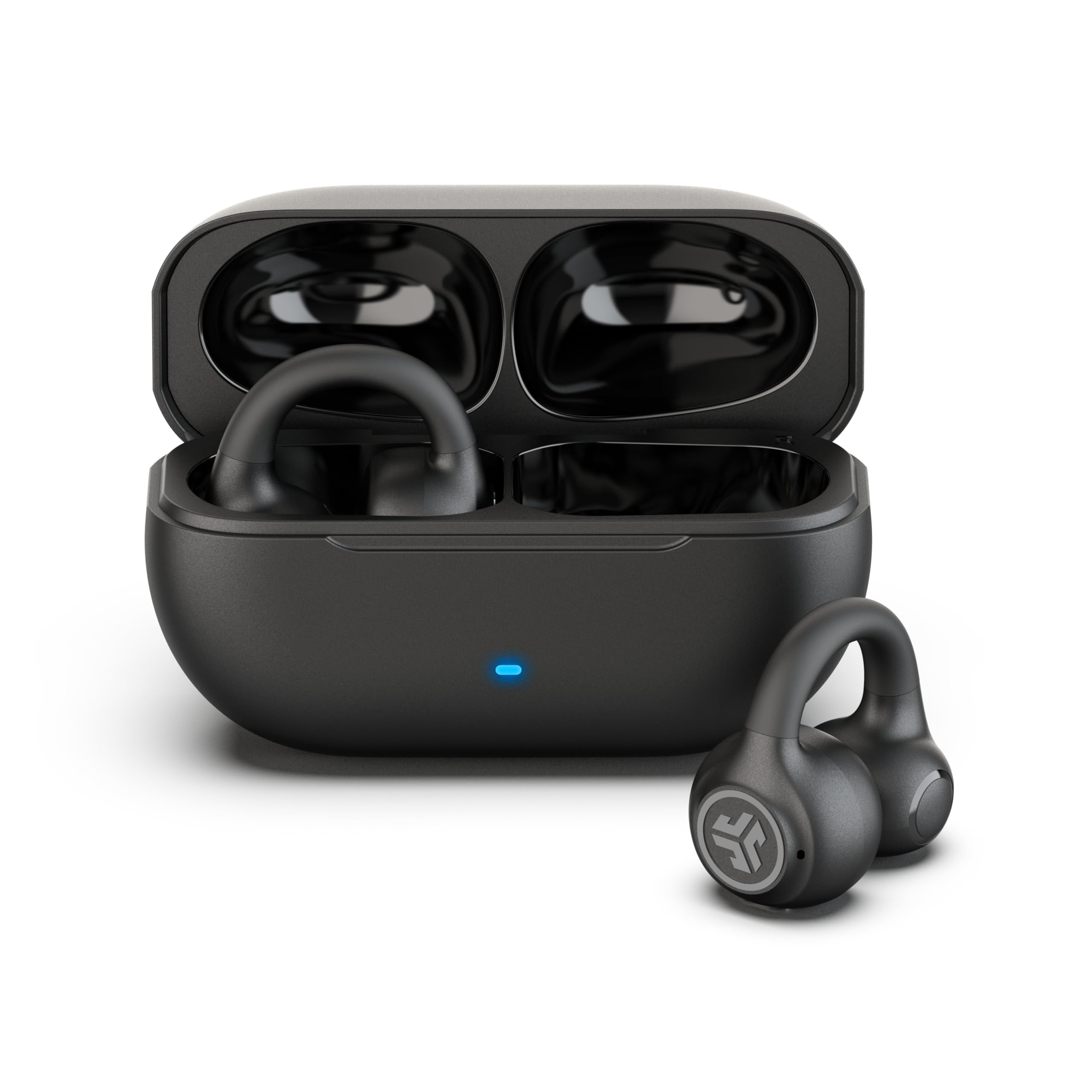
- The cuff wraps around the outer ear without ear tips.
- Multipoint connects two devices simultaneously.
- The MEMS microphone filters background noise for calls.
Best For: People who dislike ear tips and want open-ear listening with laptop-and-phone multipoint.
JLab, Flex, Open Ear Earbuds, Clip On Wireless Bluetooth Earbuds, Open Ear Headphones, Cloud White
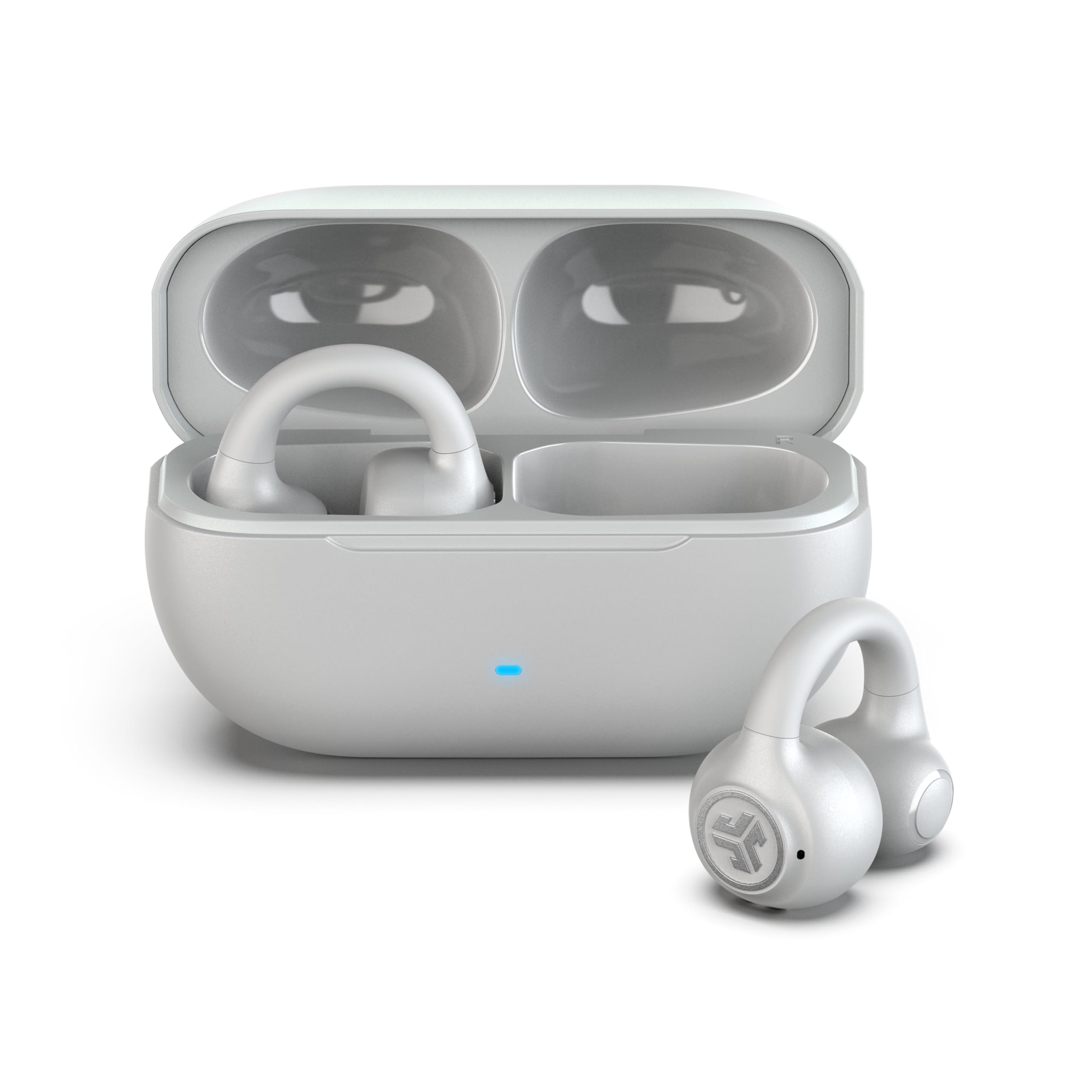
- The open-ear speakers sit outside the ear canal.
- Bluetooth multipoint connects two devices simultaneously.
- A MEMS mic filters background noise for calls.
Best For: Workers seeking open-ear listening, two-device pairing, and a noise-filtering call mic.
JLab Go Pop ANC
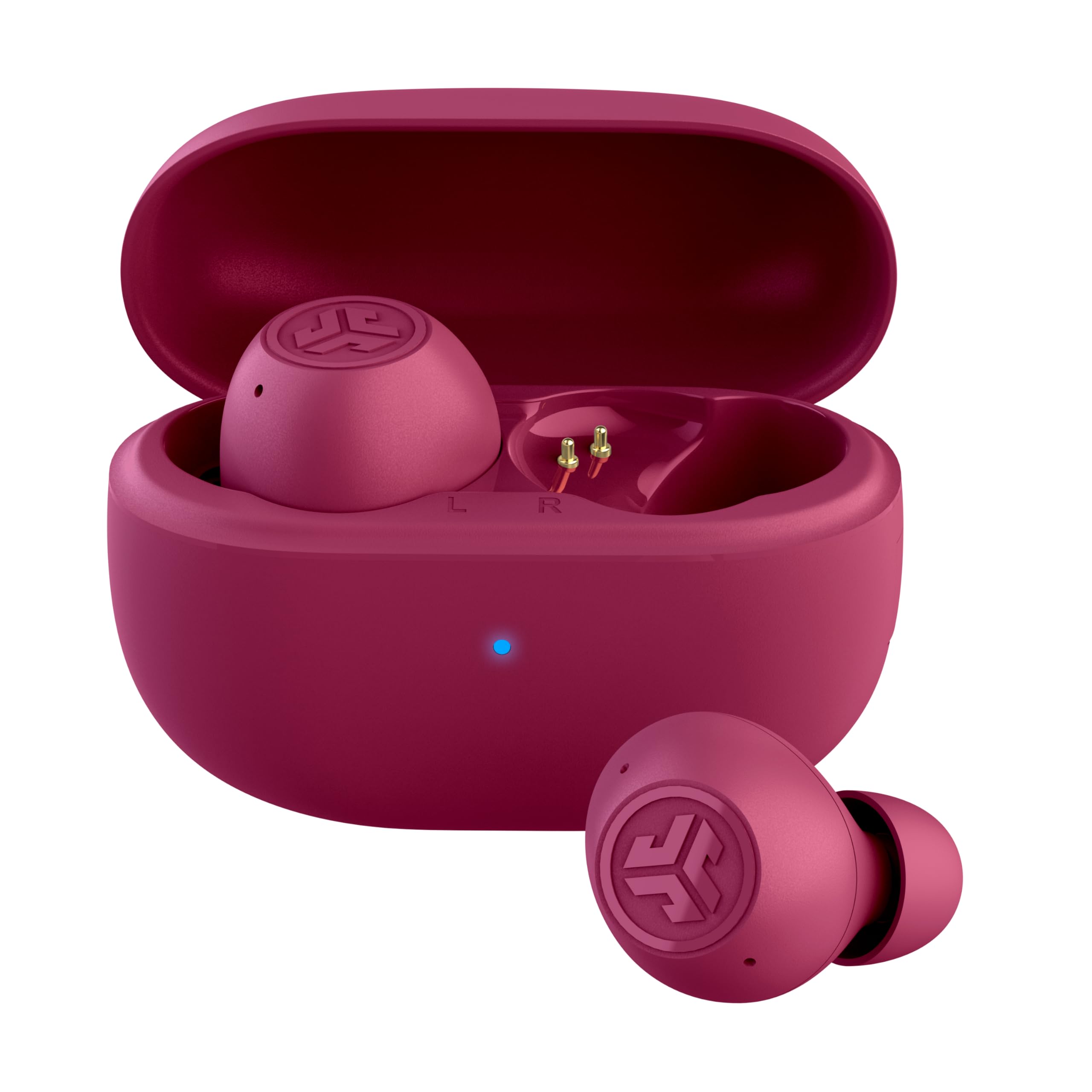
- Three modes include ANC and Be Aware.
- Dual Connect allows independent use of either earbud.
- The compact case has a built-in USB-C cable.
Best For: Commuters and desk workers who want compact in-ear earbuds with ANC and independent-ear use.
Rythflo WH03 Bluetooth Neckband Earphones
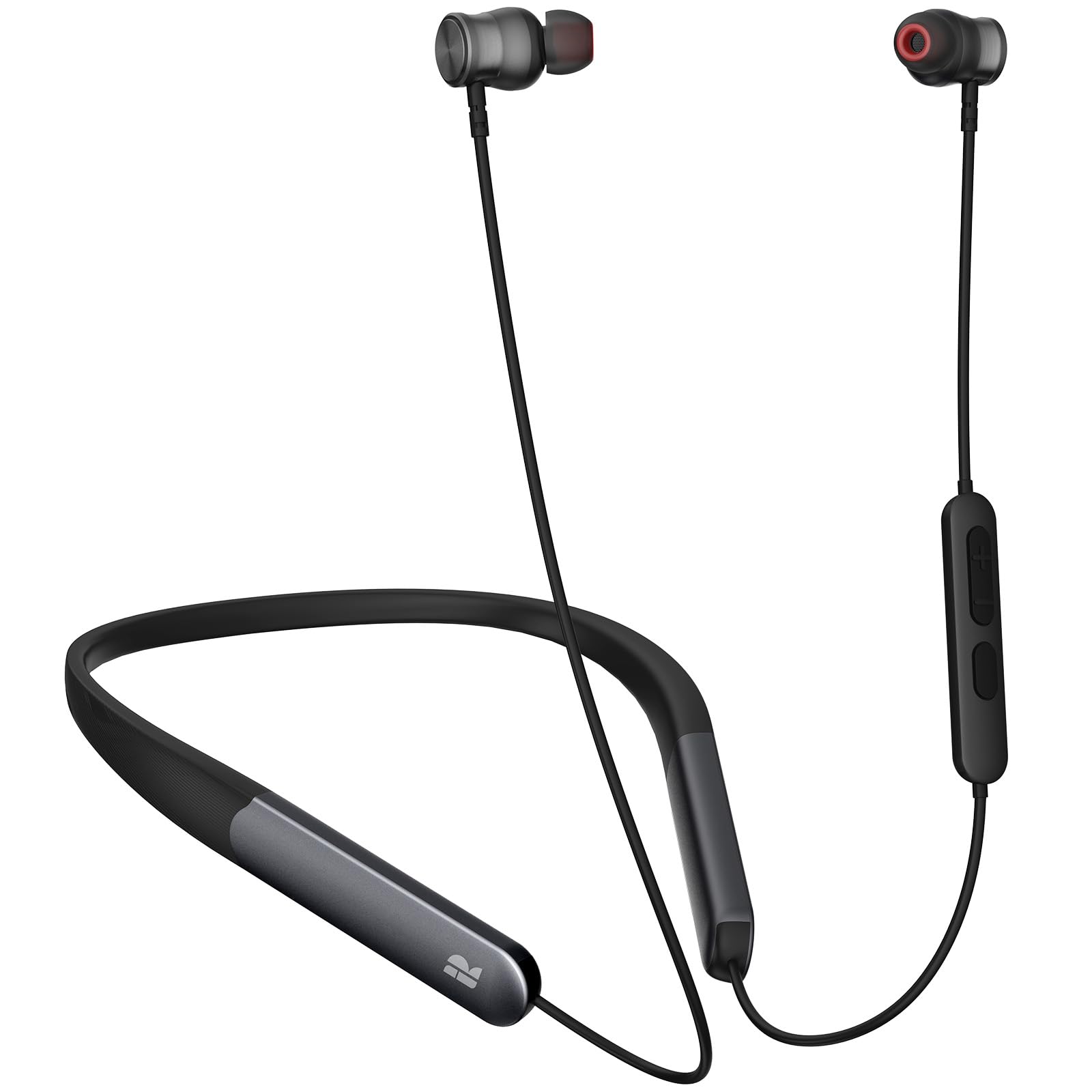
- The earbuds use a magnetic neckband design.
- Bluetooth 5.3 and button controls are specified.
- Playtime is stated as up to 150 hours.
Best For: Workers who want a neckband they can leave around the neck and charge less often.
SHOKZ OpenDots ONE
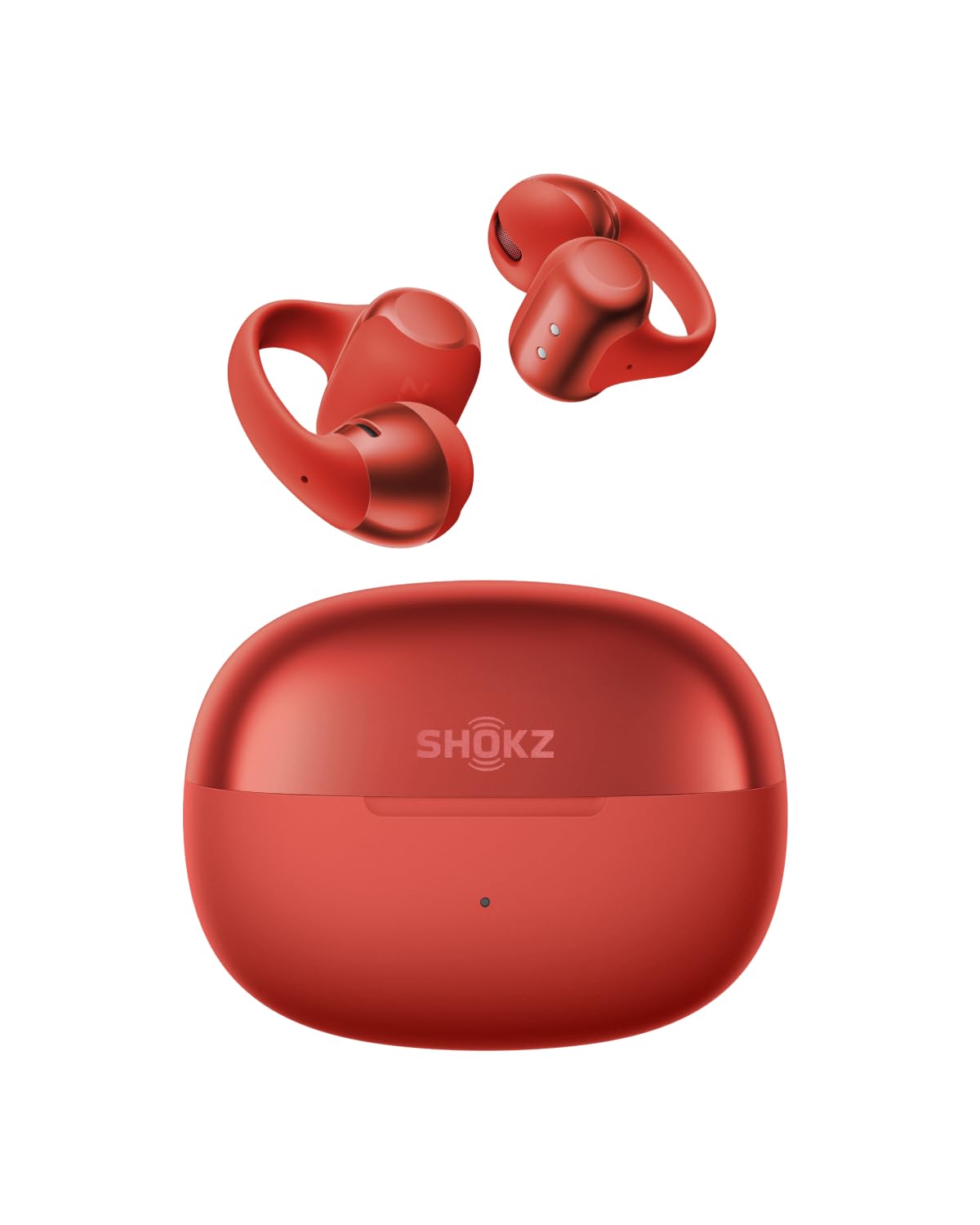
- The clip-on design uses a flexible nickel-titanium plate.
- Multipoint supports two-device pairing.
- The case supports wireless charging and up to 40 hours of listening.
Best For: Workers who want clip-on open-ear earbuds, two-device switching, and wireless charging.
ISOtunes PRO 2.0
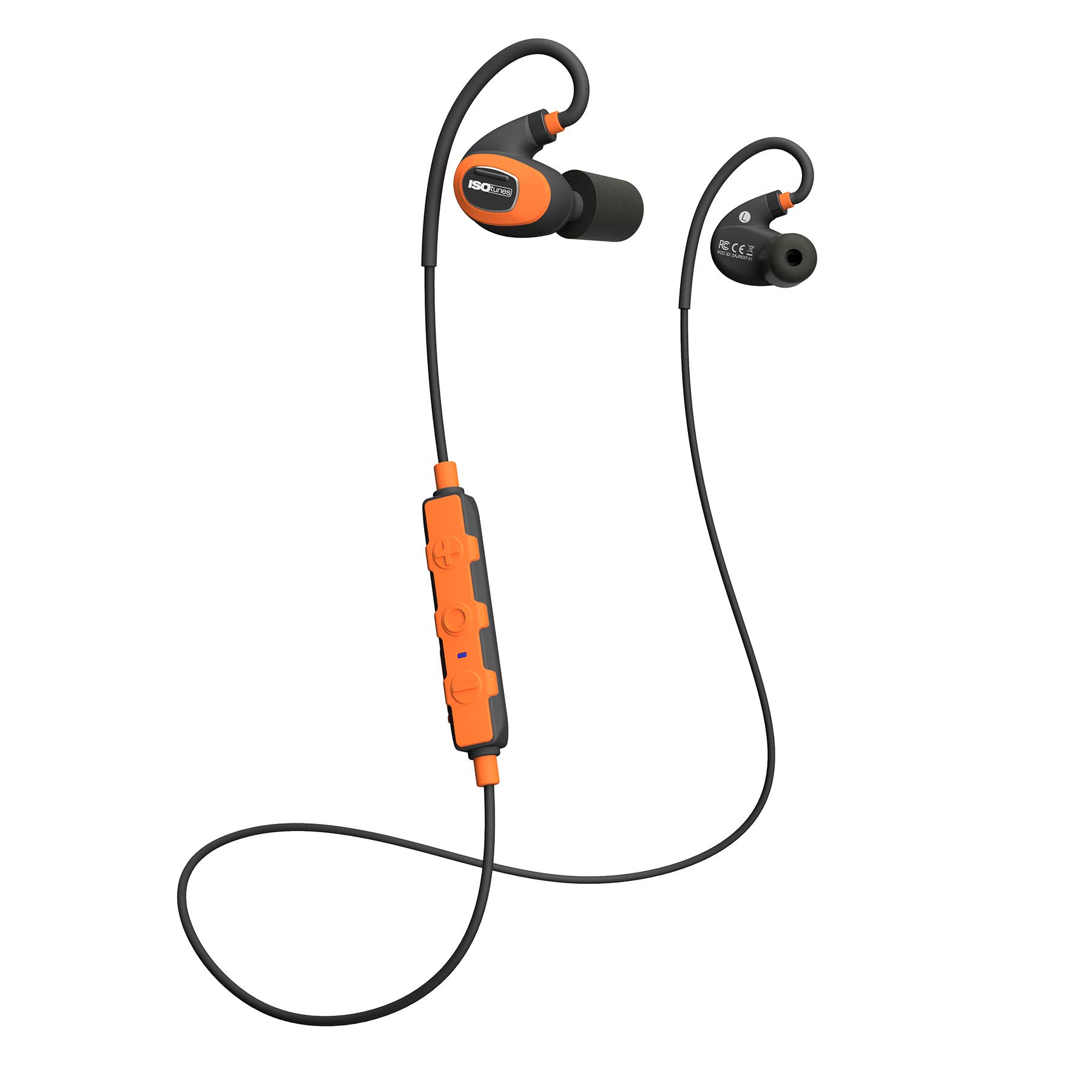
- Memory foam eartips and a 27 dB NRR are included.
- The SafeMax feature limits volume.
- Battery life is stated at 16+ hours.
Best For: People working around loud equipment who need hearing protection features and a noise-suppressing call mic.
Best for ANC and Device Switching
JLab, JBuds Sport ANC 4, True Wireless Earbuds, Active Noise Cancelling, Bluetooth, Multipoint Connect, Cobalt Blue
The JBuds Sport ANC 4 pair hybrid active noise cancellation with Bluetooth multipoint, so they can connect to two devices at once. That makes them a practical fit for switching between a laptop and phone without unpairing.
Be Aware mode lets outside sound in when you need more awareness, while the app adjusts ANC and Be Aware levels. The earhook is designed to stay in place, and the IP66 rating suits sweaty or dusty settings.
Their sport fit may feel more substantial than compact earbuds, so consider whether you want an earhook for desk use as well as workouts.
Best For: Workers who want noise control, long battery life, and connections to a phone and laptop.
| Pros | Cons |
|---|---|
|
|
Choose these if your workday moves between calls, focused listening, and outdoor or gym use. Multipoint is a useful distinction for a laptop-and-phone setup, while Be Aware mode gives you a way to let in nearby sound.
The earhook is meant to stay secure during exercise, which may be more structure than you want for a quiet desk. Check the fit and how you prefer to switch noise modes before buying.
Best Open-Ear Pick for Laptop and Phone
SHOKZ OpenFit 2 Open-Ear Headphones,True Wireless Bluetooth Earphones with Microphone,Earhook Earbuds with 48 Hours of Playtime,Fast Charging,IP55 Water-Resistant,with Carrying Bag,Black,Bluetooth5.4
The OpenFit 2 leaves the ear canal open and uses earhooks, making it a fit for workers who want to hear nearby activity while listening. Its physical buttons handle volume, tracks, and calls, and can switch between two paired devices.
That combination suits a desk setup with a laptop and phone, especially if touch controls are easy to trigger accidentally. Shokz lists up to 11 hours on a charge and 48 hours with the case, plus a quick-charge option.
Open-ear audio trades isolation for awareness, so it is less suited to blocking office chatter than a sealed earbud with ANC.
Best For: People who want an open-ear design, long listening time, and physical controls for two devices.
| Pros | Cons |
|---|---|
|
|
Pick the OpenFit 2 if you want open-ear comfort, physical controls, and a stated way to switch between two paired devices. Its longer case-supported listening time may also suit days when charging opportunities are limited.
The main tradeoff is the open design: it lets you stay aware but does not provide the same kind of passive seal as in-ear earbuds. Consider your workspace noise and whether physical buttons suit your routine.
Best Clip-On for Clear Calls
SHOKZ OpenDots 2 Open-Ear Clip-On Earbuds with Upgraded Dolby Audio, 3-Mic Clear Calls, Rich Bass, Up to 40 Hrs of Audio, Wireless Charging, Interchangeable Left/Right Earbuds, IP57, Bluetooth 6.1
OpenDots 2 use a clip-on open-ear design that keeps the ear canal unobstructed. Three microphones, adaptive beamforming, and AI noise reduction are intended to keep calls clear in busy settings.
Multipoint pairing supports a two-device workflow, while tap and pinch controls offer different ways to manage playback. The case supports Qi wireless charging, and the earbuds provide up to 10 hours per charge or up to 40 hours with the case.
Their open fit favors awareness over blocking distractions, so workers in noisy shared spaces may prefer an in-ear option with noise cancellation.
Best For: Workers who prefer clip-on open-ear earbuds and want multipoint pairing with wireless charging.
| Pros | Cons |
|---|---|
|
|
Choose OpenDots 2 if you want clip-on earbuds, awareness of nearby activity, and a clear path to switch between two paired devices. The three-microphone call system is a work-relevant feature, and Qi charging offers another way to keep the case powered.
The tradeoff is sound isolation: an open-ear fit leaves your surroundings audible. Check whether that suits your office or remote-work environment before choosing it over an in-ear ANC model.
Best Lightweight Open-Ear Option
JLab, Flex, Open Ear Earbuds, Clip On Wireless Bluetooth Earbuds, Open Ear Headphones, Black
JLab Flex use a clip-on cuff that wraps around the outer ear, with no tips pressing into the ear canal. Their open-ear speakers are intended to keep you aware of your surroundings while listening, a useful choice for people who dislike sealed earbuds.
Bluetooth multipoint connects two devices, and the MEMS microphone is designed to filter background noise on calls. The case adds to the total playtime, and the app can customize EQ and touch controls.
Since this design does not seal the ear, it is a weaker fit for noisy work areas where you want distractions reduced.
Best For: People who dislike ear tips and want open-ear listening with laptop-and-phone multipoint.
| Pros | Cons |
|---|---|
|
|
Consider the Flex if in-ear tips feel uncomfortable and you want to hear the room while working. Multipoint can keep a phone and computer connected, which is useful when calls move between devices.
The cuff-style fit differs from both conventional earbuds and earhooks, so check that it sits comfortably on your ear. Its open format is not designed to shut out office sounds, making it a better fit for quieter spaces or awareness-first use.
Best Open-Ear Calls on a Budget
JLab, Flex, Open Ear Earbuds, Clip On Wireless Bluetooth Earbuds, Open Ear Headphones, Cloud White
This Flex version combines a clip-on cuff with open-ear speakers, so it can suit workers who want audio without sealing the ear canal. It supports Bluetooth multipoint for two devices, which helps when a call may arrive on a phone while a computer is also in use.
The MEMS mic filters background noise, and JLab's app provides EQ and touch-control customization. The design is rated IPX4 for sweat and light rain.
As an open-ear model, it prioritizes awareness over isolation; it will not be the strongest choice for blocking conversations or other office distractions.
Best For: Workers seeking open-ear listening, two-device pairing, and a noise-filtering call mic.
| Pros | Cons |
|---|---|
|
|
The black Flex is a reasonable choice if open-ear comfort and multipoint matter more than noise isolation. Its call mic and app settings add useful work controls, while the cuff avoids putting a tip into the ear.
The record describes the same Flex features for a separate offer, so choose based on the specific color or offer you want and verify what is included. For focus in a noisy room, consider a conventional earbud with ANC instead.
Best Compact ANC Earbuds
JLab Go Pop ANC True Wireless Earbuds & Charging Case, Fuchsia, Active Noise Cancelling, 10mm Drivers, Dual Connect, Customize Your Sound with App, Be Aware Mode, Compact Fit, MEMS Microphone
Go Pop ANC brings three listening modes—ANC on, ANC off, and Be Aware—to a compact in-ear design. That gives you options for reducing distractions or letting more outside sound in.
Each earbud can be used independently through Dual Connect, while the MEMS microphone supports calls. The charging case has a built-in USB-C cable, and fast charging gives an hour of playback from a short charge.
The compact case and three gel-tip sizes are useful for carrying and fit adjustments. Battery life is lower than some work-focused picks, so consider whether you can recharge during longer stretches away from a plug.
Best For: Commuters and desk workers who want compact in-ear earbuds with ANC and independent-ear use.
| Pros | Cons |
|---|---|
|
|
Choose Go Pop ANC for a compact case and the flexibility to switch between noise cancellation and awareness. Independent-ear use can help when you want one ear free, although it is not a substitute for multipoint if you need both a laptop and phone paired simultaneously.
The total playtime is modest next to some alternatives here, so check whether the case's charging arrangement fits your schedule. The three tip sizes also make fit an important consideration.
Best Long-Lasting Neckband Style
Rythflo Bluetooth Headphones, 150H Playtime Wireless Bluetooth Earbuds w/Mic in-Ear Magnetic Neckband Earphone, IPX7 Sweatproof Deep Bass Headset for Home, Traveling, Outdoor, Business Trips
The Rythflo WH03 uses a magnetic neckband rather than separate true wireless earbuds, which can be convenient if you want the earpieces close at hand between calls. It offers Bluetooth 5.3 and button controls, along with a claimed up to 150 hours of playtime and a short-charge feature.
Its in-ear tips provide a more enclosed listening style than open-ear models, while IPX7 water resistance suits use beyond the desk. The unusually high battery figure should be treated as a manufacturer-stated maximum, not a measured workday duration.
Check the neckband format and fit against your preference before buying.
Best For: Workers who want a neckband they can leave around the neck and charge less often.
| Pros | Cons |
|---|---|
|
|
Pick the WH03 if you prefer a neckband you can wear or set aside without managing two loose earbuds. Its button controls and large stated battery figure may suit long stretches away from charging, though actual listening time depends on use.
It lacks a stated multipoint feature, so workers switching between a computer and phone should confirm how they will handle device changes. The in-ear form also differs from awareness-first open-ear designs.
Best Premium Clip-On with Multipoint
SHOKZ OpenDots ONE-Open-Ear Headphones, Clip-On Earbuds-Wireless Bluetooth Earbuds with Microphone-Secure, Lightweight, Comfort-Premium Dolby Audio-Water Resistant-Fast Charging-Up to 40 hrs Playtime
OpenDots ONE is a clip-on open-ear option with a flexible plate and silicone grip that conforms around the ear. The design leaves the ear canal open, while DirectPitch technology is intended to reduce sound leakage.
It supports multipoint pairing, so two devices can stay connected, and the app adds EQ, control customization, and earbud locating. The charging case supports wireless charging and provides up to 40 hours total listening time.
This is a premium-style feature set, but the open format still leaves you more exposed to office noise than in-ear ANC earbuds. Consider the fit and your need for isolation before choosing it.
Best For: Workers who want clip-on open-ear earbuds, two-device switching, and wireless charging.
| Pros | Cons |
|---|---|
|
|
Choose OpenDots ONE if a clip-on fit and open-ear awareness are priorities, and you want multipoint plus wireless charging. Its app and locating features add convenience for regular use.
The higher-end feature set does not change the basic open-ear tradeoff: nearby conversations remain audible. Think about how much focus you need and whether the clip-on shape is comfortable for extended wear before settling on it.
Best for Noisy Work Environments
ISOtunes PRO 2.0 Bluetooth Earplug Headphones, 27 dB Noise Reduction Rating, 16+ Hour Battery, IP67 Durability, Noise Cancelling Mic, OSHA Compliant Professional Hearing Protector (Safety Orange)
ISOtunes PRO 2.0 is designed for noisy work settings, with memory foam eartips that expand like earplugs and a 27 dB noise reduction rating. SafeMax volume limiting and a noise-suppressing microphone with echo cancellation target different parts of the workday: listening volume and outgoing call clarity.
The earhook wraps around the ear, and the battery is rated for 16+ hours of music and talk time. These hearing-protection features make it a specialized option, not a general-purpose open office pick.
Confirm that its fit, controls, and protection approach match your job requirements.
Best For: People working around loud equipment who need hearing protection features and a noise-suppressing call mic.
| Pros | Cons |
|---|---|
|
|
This is the most specialized choice here for loud environments, thanks to its earplug-like tips, NRR, volume-limiting technology, and call microphone. Choose it only if that isolation style fits your work and the relevant hearing-protection requirements.
Its earhook and multiple included tip types may help with fit options, but the record does not establish multipoint pairing. If your work happens in a quiet office and requires environmental awareness, an open-ear or standard earbud may be more appropriate.
How to Choose Wireless Earbuds For Work
How We Picked Wireless Earbuds for Work
This selection emphasizes features that can change a workday: calls, device switching, listening time, noise control, and awareness of nearby people. Multipoint models can keep a laptop and phone paired, while independent-ear designs offer another way to keep one ear free.
The guide also includes open-ear designs for workers who want to hear their surroundings and hearing-protection earbuds for loud job settings.
The candidates cover conventional in-ear earbuds, clip-on open-ear designs, earhook sport models, and a neckband. We chose products with a specific fit for calls, commuting, focus, or noisy work rather than treating one listening style as right for every workplace.
Battery figures are manufacturer-stated maxima and can vary with how the earbuds are used.
Comparing Wireless Earbuds for Work
For switching between a phone and laptop, look for multipoint: it appears on the JLab JBuds Sport ANC 4, SHOKZ OpenFit 2 and OpenDots models, and JLab Flex. Independent-ear use is different; it lets one bud operate alone, but it does not mean two devices can stay connected at once.
Noise control divides the field. JLab Go Pop ANC offers ANC and Be Aware modes in a compact sealed fit.
JBuds Sport ANC 4 adds hybrid ANC and multipoint in an earhook design. Open-ear clip-ons trade isolation for awareness, while ISOtunes PRO 2.0 uses earplug-style tips and a stated NRR for loud work.
Match the approach to your environment and duties.
| Product | Standout features | Best for |
|---|---|---|
| JLab JBuds Sport ANC 4Check Price |
| Workers who want noise control, long battery life, and connections to a phone and laptop. |
| SHOKZ OpenFit 2Check Price |
| People who want an open-ear design, long listening time, and physical controls for two devices. |
| SHOKZ OpenDots 2Check Price |
| Workers who prefer clip-on open-ear earbuds and want multipoint pairing with wireless charging. |
| JLab, Flex, Open Ear Earbuds, Clip On Wireless Bluetooth Earbuds, Open Ear Headphones, BlackCheck Price |
| People who dislike ear tips and want open-ear listening with laptop-and-phone multipoint. |
| JLab, Flex, Open Ear Earbuds, Clip On Wireless Bluetooth Earbuds, Open Ear Headphones, Cloud WhiteCheck Price |
| Workers seeking open-ear listening, two-device pairing, and a noise-filtering call mic. |
| JLab Go Pop ANCCheck Price |
| Commuters and desk workers who want compact in-ear earbuds with ANC and independent-ear use. |
| Rythflo WH03 Bluetooth Neckband EarphonesCheck Price |
| Workers who want a neckband they can leave around the neck and charge less often. |
| SHOKZ OpenDots ONECheck Price |
| Workers who want clip-on open-ear earbuds, two-device switching, and wireless charging. |
| ISOtunes PRO 2.0Check Price |
| People working around loud equipment who need hearing protection features and a noise-suppressing call mic. |
Choosing Earbuds for Calls and Device Switching
If calls are central to your day, compare the microphone features alongside pairing. OpenDots 2 specifies three microphones and AI noise reduction; OpenFit 2 lists dual noise-cancelling microphones, while the JLab Flex models include a MEMS mic designed to filter background noise.
Microphone feature descriptions do not establish call quality in every room, so consider your typical noise and call setup.
Multipoint is useful when a phone and computer both need to remain paired, but not every earbud with a call mic includes it. If you only need one device connected at a time, independent-ear use such as Dual Connect may be enough.
Check the exact device workflow you want before buying.
Comfort, Battery, and Fit for the Workday
Fit changes how an earbud feels over a long meeting day. OpenFit 2 and OpenDots sit around the ear, while JLab Flex uses a cuff that does not press an eartip into the canal.
Conventional in-ear options such as Go Pop ANC provide multiple gel-tip sizes and a more enclosed fit. If you need a highly secure fit for movement as well as desk work, an earhook style may be preferable.
Battery comparisons should distinguish a single charge from total time with the case. OpenFit 2 lists up to 11 hours on a charge and 48 hours with the case; Go Pop ANC lists 27+ hours total; and the WH03 neckband specifies up to 150 hours.
Treat maximum figures as reference points and consider whether you will carry and recharge a case during your workday.
Who Should Buy Which Work Earbuds?
Choose an ANC in-ear pair if reducing nearby distraction matters, and choose an open-ear model if hearing the room is part of your routine. For frequent laptop-and-phone switching, prioritize multipoint and verify that the connection behavior fits your devices.
Workers in loud environments can consider ISOtunes PRO 2.0 for its earplug-style tips and protection features, while people seeking a less intrusive neckband format may prefer the Rythflo WH03.
Before choosing, check how the earbuds fit, how their controls work during calls, whether they pair with your work devices as needed, and whether the charging case suits your routine. These details matter more than choosing the longest battery figure or the most elaborate feature set in isolation.